George El-Hage
I personally created accounts, built profiles, and shared cards on every platform in this list. Testing real-world sharing at events, 1:1 meetings, and team deployments over 6 years. This review is based on hands-on experience, not spec sheets.
My 8 criteria: Content options · Sharing methods · Analytics · Design · Security · Contact management · Pricing · Customer support. See the full breakdown below
The short version: Wave Connect is the best digital business card for most professionals and teams, because its free plan includes the things other platforms charge for: unlimited contacts, analytics, contact export, and Apple Wallet and Google Wallet passes. Blinq is the better pick for simple personal use, and Canva for design alone, though Canva cannot save a contact. Below I explain how I tested all eight, what each one costs today, and where each falls down.
- Wave Connect is the best digital business card in 2026 for most professionals and teams: the free plan includes unlimited sharing, unlimited contacts, a lead capture form, analytics, and Apple Wallet and Google Wallet passes.
- A digital business card is a profile you share by QR code, NFC tap, link, text or email, and the person you meet opens it in their browser without installing an app.
- A Wave Connect card updates instantly when your details change, so a job or number change never means a reprint.
- Free plans differ most in what they hold back, so check whether analytics, contact capture and wallet passes are free before you compare designs.
- Teams need admin controls, not just cards: Wave Connect Teams adds an admin platform, shared templates, locked fields and a shared lead dashboard.
- All eight platforms were scored on the same 8 criteria after hands-on testing: content, sharing, analytics, design, security, contact management, pricing and support.
The Best Digital Business Cards: My Top Picks
The current market offers a lot of different digital business cards, all claiming to be the best digital business card platform, each with its own features and capabilities.
So I got my hands dirty to figure this out and looked around the internet for answers.👍 For a detailed breakdown comparing Wave Connect and HiHello specifically, check out our HiHello vs Wave Connect comparison.
P.S. I also personally tried each of the providers listed below and based on some detailed criteria listed below. 🏆
| 🥇 Wave Connect | 🥈 HiHello | 🥉 Blinq | 4. Popl | 5. Mobilo | |
|---|---|---|---|---|---|
| Best For | Professionals & teams | Design customization | Personal use | Tradeshows | Sales teams |
| PRO Price | $7/mo | $6/mo | $9.99/mo | Quote only | $3/mo |
| Free Plan | ✅ Best Value | ✅ Limited | ✅ Yes | ⚠️ Limited | ✅ Yes |
| Feature Comparison | |||||
| No App Required? | ✅ Yes | ✅ Yes | ✅ Yes | ✅ Yes | ✅ Yes |
| Free Analytics | ✅ Yes | ❌ Paid | ❌ Paid | ❌ Paid | ❌ Paid |
| Free Contact Export | ✅ Yes | ❌ Paid | ❌ Paid | ❌ Paid | ❌ Paid |
| Zero Recipient Solicitation | ✅ Yes | ❌ Solicits | ❌ Solicits | ❌ Solicits | ✅ Yes |
| CRM Integration | ✅ PRO | ✅ Business | ✅ Business | ✅ PRO+ | ✅ Teams |
| Custom NFC Cards | ✅ Yes | ❌ No | ✅ Yes | ✅ Yes | ✅ Yes |
| Apple Wallet Pass | ✅ Free | ✅ Free | ✅ Free | ✅ Free | ✅ Free |
| SOC 2 Type II Certified | ✅ Yes | ✅ Yes | ✅ Yes | ✅ Yes | ✅ Yes |
| Unlimited Free Contacts | ✅ Unlimited | ✅ Yes | ✅ Yes | ⚠️ Capped | ⚠️ Not stated |
Top 5 compared here. Uniqode, Dot and Canva are reviewed in full below. Swipe the table on mobile to see every column.
*Prices and features verified on each vendor’s own pricing page in September 2026. Popl no longer publishes prices for any plan.
1. Wave Connect
Wave Connect is our pick for best overall. Its free plan includes analytics and contact export, which the other four platforms in this comparison charge for. Teams and enterprises get central branding control, Entra ID and SSO. For companies that work events, badge scanning and contact enrichment run from the same account.
Pros and benefits
✅ Free forever, with QR code sharing, Apple Wallet and Google Wallet, and no app required to share your information
✅ Affordable PRO subscription price ($7/month)
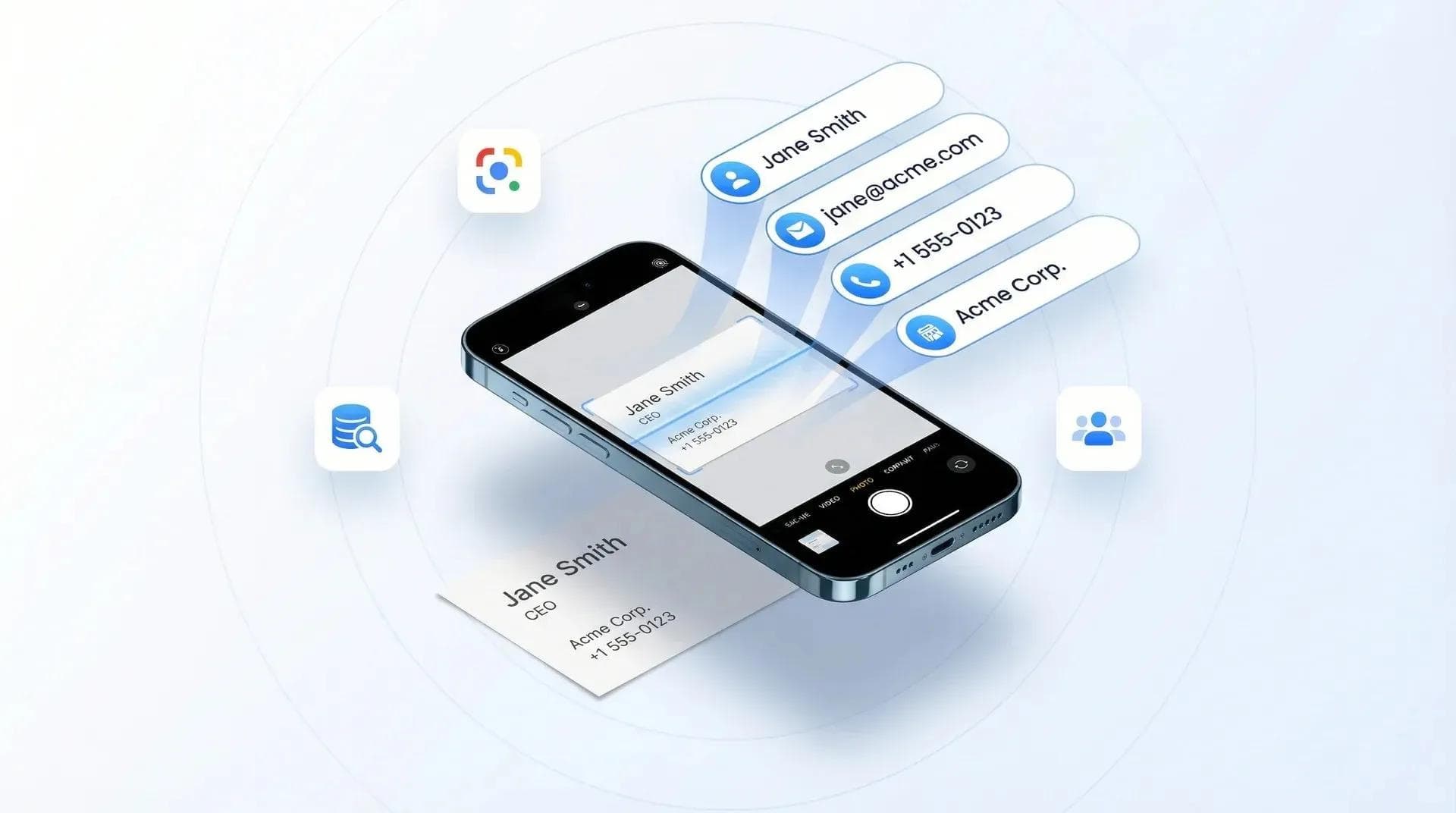
✅ Paper business card scanning on the Pro plan
✅ Tag functionality in the contacts tab to stay organized
✅ Unlimited contacts with automated follow-up capabilities via email or SMS
✅ Optional app for iOS and Android to update information
✅ Widgets and Live Activity QR code on iPhone
✅ Beautiful Apple App Clip sharing experience on iPhones
✅ Custom NFC business cards with your logo available on their website
✅ SOC 2 Type 2 & GDPR compliant
Cons and drawbacks
❌ Cannot create multiple business card profiles
❌ No payment integrations, for example Venmo or Cash App
❌ No link redirects
❌ No widgets for Android
❌ No virtual background for Google Meets, Zoom, or Microsoft Teams
My Experience With Wave Connect
I should be upfront. I built this one. Five years ago I was at every in-person event I could get to, trying to get NFC cards off the ground. Took us another two years to build the card platform properly. So this isn’t me testing something for a weekend. I use it every week.
Setup takes about two minutes. Still the fastest of the eight. Build the profile, get your QR code, start sharing. No app for you and no app for the person getting it.
The App Clip on iPhone is the part that still gets a reaction. Someone points their camera at my code and the card just opens. Nothing to download. Nothing to type. It’s the closest thing to handing someone an actual card.
Now the stuff I don’t like. You get one profile and that’s it. I want a second one for a different context and I can’t have it. No payment links either. And Android still has no widget.
So who’s it for? If you just want a card that stays free, this is the one. If you’re running a team, you set the branding once and lock it so nobody can mess with it. There’s a full breakdown of every tier in my Wave Connect review if you want it.
2. HiHello
HiHello is simple to use with all the basics for your networking needs.🥈
Pros and benefits
✅ Easy sharing without the need for others to download the app
✅ Address book for all business contacts
✅ Automatic update of contact info when another HiHello user updates their card
✅ Easy-to-use dashboard for creating digital business cards
✅ Multiple sharing options, including QR code, link sharing, and Apple Watch
✅ Ability to create virtual backgrounds for e-meetings
✅ Email signature generator
✅ Widgets available for iOS and Android
✅ Available on Google Play and App Store
✅ SOC 2 security and certified
Cons and drawbacks
❌ No custom NFC cards sold, you program your own
❌ Card design customization is locked to paid plans
❌ Analytics require a paid plan
❌ No sharing modes or automated follow-ups
My Experience With HiHello
HiHello does everything a digital business card needs to do. Downloading or exchanging contact details works cleanly, the dashboard is friendly to use, and sharing is a single SEND button. I added phone, email, Instagram, Facebook and LinkedIn without friction, and you can share by QR code, a link, or an email signature.
The design is where I ran into limits. I personally liked the look, but the flashy purple profile can read as childish in a business setting, and there was no way to change it without paying for a subscription. The free card also has no professional landing page, which is a strange gap for a product called a business card, and analytics sit behind a paid plan.
Professional costs $6 a month, verified on HiHello’s own pricing page in September 2026. Business starts at five users at $5 per user a month and adds card templates, a corporate directory, and native Salesforce, HubSpot and Microsoft Dynamics 365 integrations. Their app also scans paper cards and event badges and can enrich the contact afterwards.
Overall HiHello is an excellent choice for someone starting out who wants something minimal. Easy to use, several ways to share, and a real app behind it.
3. Blinq
Blinq is the minimalistic free option with just enough features (and I mean it) for the modern professional. 🥉
Pros and benefits
✅ Minimalist free plan with the core features
✅ Simple and unlimited contact sharing
✅ Apple Watch widget for QR code sharing
✅ Ability to add notes to contacts for personalized recall
✅ User-friendly app and website layout
✅ Customizable landing page with contact info, socials, payment options, and website
✅ Great Apple App Clip experience
✅ Blinq-branded and custom NFC business cards available
✅ Unlimited contact info fields
Cons and drawbacks
❌ No analytics on the free plan
❌ They ask your customers to download their app after you exchange contact details
❌ Blinq users can record in-person conversations (my biggest red flag )🚩
❌ No automated email or text follow-up capabilities
❌ Pricey PRO plan at $9.99/month
My Experience With Blinq
Blinq has taken minimalism further than anyone else here. The free card is deliberately bare: contact details, social links, websites, and that is close to it. For some people that simplicity is refreshing.
The app and website are straightforward and produce very simple landing pages. You can share by QR code, text or email, and they have dynamic email signatures, which is fine, though there are already plenty of free signature tools such as HubSpot’s.
Blinq is third here because of what it gets right: convenience, simplicity and accessibility. It gives you just enough to be satisfied, and the Apple Watch widget is genuinely useful. They also do not compromise on security, and are SOC 2 Type II.
The free plan is where the limits sit: no video content, no CRM sync, no paper card scanning and no analytics. Those live on the paid tiers. Premium is $9.99 a month billed monthly, or $7.33 billed annually, and adds the universal scanner, AI notetaker, contact enrichment and contact export. Business is $6.99 per user a month and adds native CRM sync and team controls. Prices verified on Blinq’s pricing page in September 2026.
Overall Blinq is a solid choice for freelancers and individual professionals who want something quick and straightforward. I would not pick it for a small business or an enterprise rollout. If you are considering switching away, see our list of the top Blinq alternatives.
4. Popl
Popl is an amazing option for those looking for a best-in-class digital business card, with one HUGE problem… you need to pay for a subscription to save more than 5 contacts (and it is expensive.)🏅
Pros and benefits
✅ Many NFC products like cards, wristbands, and badges
✅ Highly customizable landing page with video embeds, payment options, and more
✅ Native integrations with Salesforce, HubSpot, Marketo, Microsoft Dynamics and Zoho, plus Zapier for the rest
✅ Ability to create email signatures linked to the digital card
✅ Option to create multiple profiles in the pro version for different business purposes
✅ Instant information sharing through tapping, scanning, or sending
✅ Widgets available for iOS and Android
✅ Ability to add color themes to your profile
✅ Paper business card scanner and badge scanner on any plan, paid per scan in credits
Cons and drawbacks
❌ Saving more than a handful of contacts required a paid plan when I tested it 🚩
❌ No pricing published anywhere; every plan is quoted on a demo call
❌ They claim they have 24/7 support, though you do not get a reply when reaching out via their website's live chat
❌ Solicits visitors to create an account after exchanging information
My Experience With Popl
Popl looks like a leader in the space and is best known for its NFC products and customizable landing pages. You share with a tap of the card or a scan of the QR code.
The landing page impressed me most, and it stands out from the rest: embedded video, payment options, photos and customizable links, so you can tailor it to your brand. The dual profile on the paid plan is useful if you juggle roles or attend different kinds of events.
The red flag I hit when testing Popl earlier this year was the contact limit. The free plan capped how many contacts I could store, so meeting twenty people at an event meant paying to unlock them. Unlimited contacts should be free, because for a networking tool it is the feature that matters most.
Popl has since repositioned around event lead capture. As of September 2026 they publish no prices at all, for teams or for individuals, and quote on a demo call instead, so I cannot give you a current figure. Their site states SOC 2 Type 2 compliance, a badge scanner that reads the printed badge rather than relying on the organizer’s QR code, and, in their words, pricing with no usage-based charges to track.
Popl excels at user experience, customization and the sheer range of NFC hardware. For a side-by-side with us, see our Wave Connect vs Popl comparison, and if you have already decided to move on, our guide to the best Popl alternatives.
5. Mobilo
Mobilo is a great option for a sales team, with a lot of analytics and tracking needed. However, for the individual business professional, the customization is very limited, and the features could be considered "too much." 🏅
Pros and benefits
✅ Customizable QR code to match your branding
✅ Easy to update your contact information in real time
✅ Lead tracking and generationreal-time boards for effective networking management
✅ Various NFC options like cards, key fobs, or smart button
✅ Unique email signature creation with QR codes
✅ Physical NFC cards, especially metal cards, are highly appreciated for their quality
✅ Four powerful modes for the digital card: business card, landing page, lead generation, and link to any URL
Cons and drawbacks
❌ White glove onboarding and a custom landing page need 100 seats or more
❌ Some users may find the landing page too minimalistic, and adding videos is not an option
❌ Plain landing page with no ability to add a background image
❌ Their focus is on selling NFC tags and products and not digital business card landing page
My Experience With Mobilo
Mobilo stands out for its integrations and its individual dashboard. The analytics give you real visibility: how many leads you collected, the notes you took, and where you met the contact, if phone GPS is on. Exchanging details and capturing leads are both quick.
The feature I liked most is card modes. The same card switches between a business card, a website landing page and a lead generation page. At a networking event I would run lead generation mode, then switch to the landing page afterwards so people can read more about me. If constant switching sounds like work, leave it on lead generation.
Tracking results and following up automatically is the real benefit here. Nobody wants to remember to chase a hundred people by hand.
Where it falls short is the card itself. The landing page is plain and offers little branding or personalization, as you can see in my profile below.
One thing has changed since I first reviewed Mobilo, and it is worth saying plainly: back then you could not create an account without buying a card. You can now start free, and buying a card includes 90 days of Pro. Paid plans are Pro at $3 a month, Teams at $4 and Business at $5, billed annually, verified on their pricing page in September 2026. White glove onboarding and a custom landing page still need 100 seats or more.
The team dashboard integrates with Salesforce, HubSpot and Zapier, and the physical cards, the metal ones especially, are well made.
Overall Mobilo is a strong pick for lead generation and networking, even if it does not match the others on branding and customization. For the full side by side, see our Wave Connect vs Mobilo comparison.
6. Uniqode
Uniqode has the most sophisticated dashboard of the QR-first tools, which is why I decided to review them. Your first digital business card is free and extra seats are $6 per user a month. 🏅
Pros and benefits
✅ Can customize the font displayed on your profile
✅ You can add a custom logo to your dynamic or static QR code
✅ You can add a custom domain to your profile
✅ Cards can be shared via Apple or Google Wallet
✅ You can add geolocation to pinpoint where you met a contact
✅ CRM and HR integrations, with Zapier covering the long tail
✅ Capability to track card scans, location, and time of day for better performance analysis.
✅ Advanced QR code customization options
✅ You can create multiple profiles with their business card maker.
Cons and drawbacks
❌ Extra seats need the Team plan at $6 per user a month
❌ QR codes and links rather than NFC cards or physical products
❌ Limited features for designing standout cards (e.g., no video embeds)
❌ Page layout is similar to Blinq and HiHello with less design control
My Experience With Uniqode
Uniqode stands out for one thing: highly customizable QR codes. That was their original business, selling custom QR codes to companies, and the digital business card came later. That is also the catch, because everyone else on this list built the card first.
It still reads as a product for businesses rather than individuals. What they lead with is bulk card creation, CRM integrations and HR integrations.
Two criticisms from my earlier review no longer hold, and I would rather correct them than leave them standing. Uniqode now has a mobile app, Uniqode Cards, on both the App Store and Google Play, and your first digital business card is free, with extra seats on the Team plan at $6 per user a month. Both checked on their own pages in September 2026. They are also SOC 2 Type II, which matters for the buyer they are chasing.
My hot take still stands. Bulk creation, CRM integrations and HR integrations are what every other provider ships on a business plan, so on features alone I still do not see what Uniqode adds to the category.
On QR codes they are genuinely ahead. You can change the shape and color, add a logo, and track total scans and location data. What is missing is video embeds, background images and any NFC card option.
For a company that wants to digitize its cards efficiently and cares about QR depth, security and simplicity, Uniqode is a solid option.
7. Dot
Dot is the best option for the "anti-app" crowd who wants a sleek piece of hardware on their phone, but the software lacks the heavy-hitting business features of Wave Connect or Blinq. 🏅
Pros and benefits
✅ No app required to setup or share (managed entirely via web browser)
✅ The "Dot" device sits flush on your phone (very aesthetic)
✅ One-time purchase model for the standard profile
✅ Extremely simple, "Link-in-bio" style profile interface
✅ Great for social media sharing and creators
✅ Direct link feature (instantly sends people to one specific link, like your Instagram)
✅ High-quality NFC hardware
Cons and drawbacks
❌ Limited business features for teams (No CRM integrations on the standard plan)
❌ The profile feels more like a social media landing page than a professional business card
❌ Harder to manage a team or enterprise compared to dedicated platforms
❌ No paper business card scanner
❌ Limited analytics on the basic setup
My Experience With Dot
Dot is for people who care about the hardware first and the software second. Onboarding was fast because there is no app to download. You tap your Dot, create an account in the browser, and you are live.
The physical product is the best part. The Dot sticks to the back of your phone, looks futuristic, and sharing is instant: tap your phone against someone else’s and your profile opens.
The profile itself reads like a Linktree. That is ideal for an influencer, a photographer or a freelancer handing over an Instagram handle or a portfolio. In a B2B sales setting it felt too casual, and it lacked the contact management and follow-up tools I found in Wave Connect.
Dot is the master of minimalism. If you hate downloading apps and want a sticker on your phone that sends people to your website, it wins, and the Direct Link feature is handy when you only ever share one URL.
If you are a serious networker or a sales team that needs lead capture, CRM sync and branding at scale, Dot is too simple. A great social tool, not the ultimate business tool. Our Wave Connect vs Dot comparison has the full breakdown.
8. Canva
Canva is the king of design, meaning you can make the most beautiful card in the world, but it fails as a networking tool because it lacks the "smart" features of a dedicated platform. 🏅
Pros and benefits
✅ Limitless design possibilities (millions of templates)
✅ Completely free if you already have a Canva account
✅ You can add your exact brand fonts, colors, and assets easily
✅ High-quality QR code generator built-in
✅ clickable links for websites and socials
✅ Great if you want to design a card to print on physical paper
Cons and drawbacks
❌ MAJOR DRAWBACK: No "Save Contact" (vCard) button. People have to manually type your number to save it. 🚩
❌ No NFC capabilities
❌ No analytics to track scans or clicks
❌ No lead capture forms to collect other people's info
❌ No Apple Wallet or Google Wallet integrations
My Experience With Canva
I love Canva and use it for everything else, so naturally I tried to make a digital business card with it. The design part was excellent: drag and drop, my own brand kit, and a result that looked far better than any standard template from HiHello or Mobilo.
Then came sharing, and it fell apart. When I shared the card by QR code it simply opened a mobile website. There was no Save Contact button, so the other person had to read my screen and type my phone number into their phone by hand.
Friction is the enemy at a fast-paced event. Canva makes a beautiful image, not a working connection. It is a mini-website, not a digital business card tool.
If you are a graphic designer and you only care about how the card looks, Canva is unbeatable. For everyone else, no Save to Contacts, no Apple Wallet pass and no analytics means you are flying blind. Use Canva to design your background image, then upload it to a platform like Wave Connect that handles the networking side.
How I Ranked the Best Digital Business Cards 🥇
The best digital business cards are ranked based on many different factors in my review. This includes the ones that have the ability to upload a variety of content pieces, share your contact information in multiple ways, track analytics, set up CRM integrations, and are well-secured.
I've added more information on the ranking criteria below and their overall importance on each digital business card I review:
1. Uploading Unique Content Pieces
The best digital cards are the ones that give you the ability to share multiple pieces of unique content on one page. It's not just your name and contact information that you are sharing, you are also sharing website links, social media profiles, videos, and maybe even some neat little animated GIFs. 👾
2. Many Contact Information Sharing Options
The main feature we're all looking for in a virtual business card is the ability to share our contact information, duh! It only makes sense that the best one gives us a complete list of options to share our profiles. This can and should include email, phone, Apple Wallet, Google Wallet, widgets, live activities, virtual backgrounds, and an easy-to-access app. 🤳🏼
3. Click Analytics and Tracking
Another important ranking factor I considered in this review is the analytics. I asked myself, "Are there any actionable insights that I can gather by viewing the analytics?" If there were, then the electronic business card would get bonus points. If not, well, you know how it works. 📈
4. Profile Page Appearance
This is the area where you can be creative and be yourself. From adjusting the design to selecting the right layout, the best options always provide you with the essential tools to really make your professional brand shine. Watch out for design pitfalls that hurt first impressions. Small errors like poor font choices or cluttered layouts can undo even the best platform’s features. In this review, I’ll be taking a hands-on approach and creating a profile with each provider. I’ll also add a screenshot of each so you can see how they compare.
5. Security and Privacy
Now, it's important that the information displayed on your digital business card is secure and safe… for obvious reasons. In my analysis of these virtual business cards, I'll be taking a VERY CLOSE look at the security of each one of these providers. My criteria will be focused on identifying if they are SOC 2 Type 2, GDPR, and PIPEDA compliant. If they are compliant, they meet some serious standards for managing your data. 🔐
6. Contact Management and Follow-Ups
The best digital business cards act as a personal assistant that helps you manage, filter, tag, and easily access your professional contacts. We can all agree that less is more in this case. I'll also be looking for a tool that allows you to manage your contacts, sync them with a CRM of your choice, and ensure that you're a click away from making a meaningful connection. ✅
7. Subscription-Based Services Affordability
This is the fun part since it involves paying your hard-earned cash for a bunch of value. No one likes overpaying for bloated software, so in this review, I'm putting on my "Should I upgrade my subscription? And is it worth it?" hat. 👒
I'll be taking a look at some of the additional features provided with the upgrade. This includes customization, security, analytics, and overall benefits to the end user. I'll also be comparing the added benefits with the overall cost.
8. Customer Support
Last but not least, I'll be taking a look at all the provider's customer support and customer service. I'll test the email, live chat, and phone support (if any.) In a world where almost everything is accessible with a click of a button, I'll see if these digital business cards provide a support wiki that makes it easy for users to find the information they need. 🆘