George El-Hage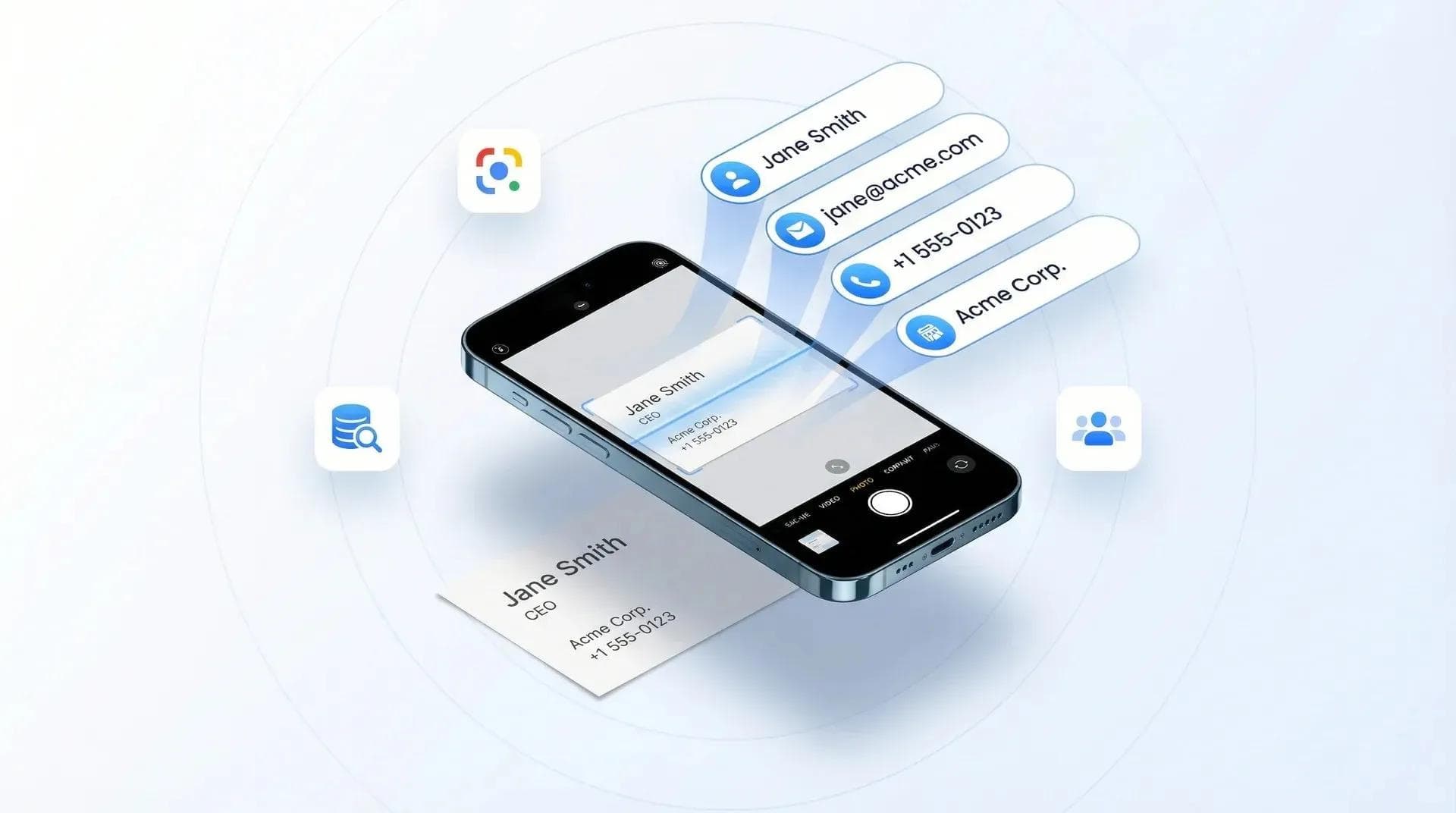
The best business card scanner app in 2026 does one thing exceptionally well: it turns a photograph of someone's paper card into a clean, accurate, CRM-ready contact in seconds. If you searched for a business card reader instead, you are looking for the same thing, and I use both words below. The problem? Most "best of" lists include apps that are deprecated, overpriced, or genuinely unnecessary for your use case.
So I tested the major options myself - from free tools already sitting on your phone to full CRM-integrated scanners built for sales teams. In this guide, I'll give you my honest picks by use case, call out the apps you should avoid, and also tell you when you don't need a scanner at all. I've been building Wave Connect since 2020 and deployed cards for 200,000+ professionals, so this isn't theory - it's based on years of scanning cards at conferences, meetings, and trade shows. If you're scanning cards at trade shows or conferences specifically, it's worth looking at dedicated lead retrieval software instead of a general-purpose scanner app.
The best business card scanner app in 2026 depends on your setup. Wave Connect is my #1 pick, the only app that handles paper cards, event badges, and digital card exchanges in one place with automatic contact enrichment. Google Lens is best for the occasional one-off scan, Covve has the strongest standalone accuracy, and HubSpot Scanner is the clear choice for HubSpot CRM users.
- How scanning actually works (at the end): OCR, AI parsing, and when your phone already does it for free - reference material, kept at the bottom
- 8 apps reviewed honestly: Organized by use case - individual, CRM user, and team
- The one scenario where you don't need any scanner app: And why more people hit this scenario every year
- The team angle nobody covers: What happens when 50 reps scan cards at an event
The Honest Comparison Table
Here's every app in one place, with the columns that actually matter. Full reviews of each one follow below. Every app listed is one I use or have tested; I dropped the ones that are no longer actively developed.
| App | Best For | Free Tier | iOS/Android | CRM Integration | Team Features |
|---|---|---|---|---|---|
| Wave Connect | All-in-one + enrichment | Yes | Both | SF, HubSpot, Dynamics, Zoho, Pipedrive | Yes |
| Google Lens | Free / occasional | Yes (built-in) | Both | No | No |
| Apple Live Text | Free / iPhone users | Yes (built-in) | iOS only | No | No |
| Covve | Accuracy + relationships | Limited | Both | Select CRMs | No |
| CamCard | Multi-language + teams | Yes | Both | Yes | Yes (new Jan 2026) |
| HubSpot Scanner | HubSpot CRM users | Yes | Both | HubSpot only | No |
| Zoho Card Scanner | Zoho CRM users | Yes | Both | Zoho only | No |
| Salesflare | Sales CRM + enrichment | No | Both | Salesflare | Yes |
| iCapture | Trade show exhibitors | No | Both | Yes | Yes |
I tested each active app's scanning feature personally. Vendor pricing and plans change often, so confirm current details on their site before you buy.
The 8 Best Business Card Scanner Apps in 2026
I've organized these by use case, not by "overall score." The best app for you depends entirely on how often you scan, what CRM you use, and whether you're an individual or managing a team. I tested every app on this list with real business cards from recent events.
Let's get into it.
1. Wave Connect - Best All-in-One Scanner for Teams
Wave Connect is the only app on this list that handles paper business cards, event badge QR codes, and digital card exchanges in one place, and enriches every contact automatically. I built it, so I'm biased - but I'll be honest about what it does well and where it's not the right fit.
Wave Connect's event lead capture page, captured September 2026.
Wave Connect's Universal Business Card & Badge Scanner uses AI-powered OCR for paper cards, reads QR codes from event badges, and automatically imports contacts when someone shares a digital business card with you. That last part is the key differentiator: when someone shares their digital card, there's no scanning at all - the contact data flows in directly, no OCR errors, no manual review.
Contact enrichment is where Wave Connect really separates itself. After scanning a paper card, Wave Connect doesn't just store the raw OCR data. It enriches the contact with additional information - pulling in LinkedIn profiles, company details, and social links to build a fuller picture of who you just met. Instead of a name and phone number, you get a complete professional profile. This happens automatically in the background, so by the time you sit down for your post-event follow-up, the context is already there.
The team angle is where this really matters. When your sales team is at a conference, every card they scan routes to a shared contact pool that syncs to your CRM (Salesforce, HubSpot, Microsoft Dynamics, Zoho, or Pipedrive) with rep attribution. Your manager sees lead count by rep in the dashboard. No one is emailing themselves CSVs or maintaining separate spreadsheets.
💡 From My Experience: At the last event I attended, I scanned 14 paper business cards and three event badges in about four minutes. Every contact landed in HubSpot automatically, enriched with LinkedIn data and company info before I even left the venue. That used to take 20+ minutes of manual entry plus another hour of LinkedIn research. But honestly? About 30% of the people I met at that event shared digital cards instead of paper - and for those, the contacts appeared in my dashboard without me scanning anything at all.
The honest limitation: If you only scan cards once a month and don't want a digital business card platform, Covve or Google Lens is simpler. Wave Connect's scanner is a feature within a broader platform - it's most valuable when you also use the digital card, the CRM sync, the contact enrichment, and the team management tools. If all you need is basic OCR, this is more platform than you need. If you do want the platform, our digital business card rankings cover all eight on price, free plan and CRM sync.
- Best for: Teams who want one tool for paper cards, badges, digital card sharing, and contact enrichment
- Price: Card plans: Free / Pro $7/mo / Teams $60/user/year. Paper card scanning works on any plan: a business card scan is 1 credit ($2.50) for the complete contact.
Platform: iOS and Android. Get it on the App Store or Google Play.
- CRM integration: Salesforce, HubSpot, Microsoft Dynamics, Zoho, Pipedrive
- Team features: Yes - shared contacts, admin dashboard, rep attribution, contact enrichment
- Status: Actively maintained
2. Google Lens / Apple Live Text - Best Free Option (Built Into Your Phone)
For scanning a single business card occasionally, you don't need any dedicated app. Google Lens and Apple Live Text both do OCR accurately and let you copy text or create a contact manually. They're already on your phone. No download, no account, no subscription.
Google Lens, captured September 2026. It is already on the phone you own.
Google Lens works on both Android and iOS (via the Google app or Google Photos). Point it at a card, it reads the text, and you can tap to copy individual fields or create a contact. Apple Live Text does the same thing natively on iOS 16+ - just open your camera, point at a card, and tap the text icon.
The honest verdict: For 1-5 business cards per month, don't pay $10/month for a dedicated app. Google Lens is already on your phone and works surprisingly well for standard English cards. I keep it ready when I'm at events and someone hands me a paper card.
The limitation: Zero contact management. No CRM sync. No history. No team features. You scan, you copy, you move on. If that's all you need, you're done - stop reading here and save your money.
- Best for: Individuals who scan 1-5 cards per month
- Price: Free (already on your phone)
- Platform: Google Lens (Android + iOS) | Apple Live Text (iOS 16+ only)
- CRM integration: No
- Team features: No
3. Covve - Best Accuracy for Serious Networkers
If you collect 20+ cards per month and want the best standalone scanning accuracy, Covve is the app to beat. Independent testing consistently shows Covve's OCR outperforming most dedicated scanners, particularly with non-English names, accented characters, and non-standard card layouts.
Covve's home page, captured September 2026.
But Covve isn't just a scanner. It's a relationship intelligence platform. After scanning, it tracks your contacts, reminds you to follow up, and gives you "contact health scores" - basically flagging relationships that are going cold. It's like a mini CRM for people who don't want an actual CRM.
The downside? It's individual-only. No team plan, no shared contact pools, no admin dashboard. If you're managing a sales team, this isn't it. But for a solo professional who networks seriously - consultants, recruiters, founders who attend events regularly - Covve is excellent.
- Best for: Individual professionals who network heavily and want relationship tracking
- Price: Free tier (limited scans) | Pro ~$10/month
- Platform: iOS + Android
- CRM integration: Select CRMs (export-based)
- Team features: No
- Status:Actively maintained
Check out Covve's official site for current pricing and features.
4. CamCard - Best for Multi-Language Scanning (But Watch the Rebrand)
CamCard has been one of the most popular dedicated scanner apps for years, with roughly 60 million users and strong App Store ratings. Its multi-language OCR is particularly good - if you regularly receive cards in Chinese, Japanese, Korean, or other non-Roman scripts, CamCard handles them better than most alternatives.
CamCard's home page, captured September 2026.
Here's the thing you need to know: CamCard launched a significant rebrand in January 2026, now positioning itself as a "digital business card solution for teams" - with email signatures, virtual backgrounds, CRM sync, and team management. It's a major pivot, and the new features are still maturing.
My honest take? If you already use CamCard for scanning, the new digital card features are worth exploring. But they're less mature than what you'd get from a platform that's been doing digital business cards for years. The scanner itself is still solid. The new stuff? It's mid-transition, and the UI shows it.
- Best for: Users who need multi-language OCR or are already in the CamCard ecosystem
- Price: Free tier + paid plans
- Platform: iOS + Android
- CRM integration: Yes (Salesforce and others)
- Team features: Yes (new as of January 2026)
- Status: Actively maintained - major update January 2026
See CamCard's updated site for the latest on their new features.
💡 From My Experience: CamCard's rebrand caught my attention because it mirrors what we've seen across the industry - the line between "scanner app" and "digital business card platform" is collapsing. Apps that started as scanners are adding digital card features. Apps that started as digital cards (like Wave Connect) are adding scanners. The question is which direction you want to approach from, and how mature the features are on the other side.
5. HubSpot Business Card Scanner - Best Free CRM-Integrated Scanner
If you use HubSpot CRM, stop looking - this is your scanner. It's free, it's built directly into the HubSpot mobile app, and it creates a CRM contact record the moment you scan a card. No export step, no CSV file, no "I'll add them to the CRM later" (and then never doing it).
HubSpot's business card scanner page, captured September 2026.
The scanner lives inside the HubSpot mobile app. You open it, scan the card, review the parsed fields, and hit save. The contact appears in your HubSpot CRM instantly. If you've got workflows or sequences set up, the new contact can automatically enter your follow-up pipeline. That's genuinely useful.
The catch? It only works with HubSpot. If you use Salesforce, Zoho, or Pipedrive, this app does nothing for you. It's also not a standalone scanner - you need a HubSpot account (free tier works).
- Best for: Anyone using HubSpot CRM who attends meetings or events
- Price: Free (requires free HubSpot CRM account)
- Platform: iOS + Android (via HubSpot mobile app)
- CRM integration: HubSpot only
- Team features: No (individual scanner within team CRM)
- Status: Actively maintained
For more on connecting your contact management to a CRM, check out our guide on connecting your digital business card to your CRM.
6. Zoho Card Scanner - Best for Zoho CRM Users
Same logic as HubSpot: if Zoho is your CRM, use Zoho's built-in scanner. It's included with the Zoho CRM mobile app and creates contacts directly in your Zoho database. The OCR is decent, the integration is native, and you're not paying extra for it.
Zoho CRM mobile, captured September 2026. The scanner lives inside this app.
The setup is minimal - open the Zoho CRM app, tap the scanner, photograph the card, review, save. Contact shows up in Zoho with all the standard fields populated. If you've set up Zoho workflows, the contact can trigger automations immediately.
- Best for: Zoho CRM users specifically
- Price: Included with Zoho CRM (free tier available)
- Platform: iOS + Android
- CRM integration: Zoho only
- Team features: No
- Status: Actively maintained
7. Salesflare - Best Within a Sales-Focused CRM
Salesflare embeds its scanner directly in a sales-focused CRM that automatically enriches contacts from LinkedIn and email. Scan a card, and Salesflare doesn't just store the data - it pulls in the person's LinkedIn profile, company info, and recent email exchanges to build a fuller picture.
Salesflare's home page, captured September 2026.
This is overkill if you just want to scan a card. But if you're a salesperson who lives in a CRM and wants every new contact enriched with context before your first follow-up, Salesflare's approach is smart. The scanner is a feature within the CRM, not a standalone app.
- Best for: Sales teams already using Salesflare who want zero-friction contact entry
- Price: Part of Salesflare CRM (~$35/user/month)
- Platform: iOS + Android
- CRM integration: Salesflare (native)
- Team features: Yes (within CRM)
- Status: Actively maintained
Visit Salesflare's site for current pricing.
8. iCapture - Best Dedicated Trade Show Lead Retrieval
iCapture is purpose-built for exhibitors at trade shows who need professional-grade lead capture. It handles event badge QR codes and business card OCR, with offline mode, qualifying questions, and CRM integration out of the box.
Cvent iCapture, captured September 2026. iCapture is a Cvent product.
I already covered iCapture in detail in my guide on best badge scanners for trade shows. The short version: if you're exhibiting at major trade shows and have a dedicated event marketing budget, iCapture is excellent at what it does. But it's overkill for regular networking - this is event-specific infrastructure, not a daily scanner app.
- Best for: Exhibitors at major trade shows with dedicated event budgets
- Price: Starts around $500/event or subscription plans
- Platform: iOS + Android
- CRM integration: Yes
- Team features: Yes
- Status: Actively maintained
Visit iCapture's site for event-based pricing.
Business Card Reader or Business Card Scanner? Same Tool, Two Names
People search for both and mean the same thing: an app that photographs a paper card and turns the printed text into a contact. Hardware makers used "reader" first, back when these were desk devices you fed cards into. Phone apps inherited "scanner". Nothing separates the two words today.
The one place they genuinely diverge is hardware. If you search for a business card reader and land on a product page for a desktop device with a paper tray, that is a different category from everything on this list. Every pick here runs on the phone already in your pocket.
The Best Business Card Scanner for a Small Business
Small business is the case these lists usually skip, because the honest answer is not the most capable app. It is the one nobody needs training on and nobody needs to expense.
On your own, a few cards a month: use Google Lens or Apple Live Text. They are already installed, they read a card accurately, and they cost nothing. You will save the fields one at a time, which is fine at that volume.
Two or three people, contacts in one place: Wave Connect is where I would start, and I built it, so weigh that accordingly. The free plan covers the digital card and contact storage; the paper card scanner works on any plan, at 1 credit ($2.50) per card for the complete contact.
Already running HubSpot: use HubSpot's own scanner before buying anything else. It costs nothing on top of the CRM and the contacts land where your team already works.
The trap at this size is signing an annual per-seat contract before you know your real volume. Scan a month of cards with a free tool first, count them, then decide whether a paid scanner is worth it. Most small teams discover they collect far fewer cards than they assumed.
When You Don't Need a Business Card Scanner App
The most honest recommendation I can make isn't a scanner app at all - it's knowing when you don't need one. There are three scenarios where a scanner app is either overkill or the wrong tool entirely. And if you fall into one of these, I'd rather save you the subscription fee than pretend you need another app.
When Google Lens Is Genuinely Good Enough
If this describes you, don't pay for a scanner app:
- You receive 1-5 paper cards per month
- You just want to save contacts to your phone
- You're not managing a shared contact pool
- You're not syncing to a CRM
Google Lens is already on your phone. It reads business cards accurately. It's free. Don't pay $10/month for Covve if Google Lens does the job. Seriously.
When You Don't Need to Scan at All
This is the scenario nobody else in this SERP talks about, and it's increasingly common.
When the person you meet uses a digital business card, there's nothing to scan. They share their card via QR code, NFC tap, or link - and their contact info goes directly into your phone or CRM. Zero scanning. Zero OCR errors. Zero manual entry.
At a recent conference, roughly 20-30% of the people I exchanged cards with used digital cards. That number keeps climbing. For those exchanges, I didn't scan anything - the contact just appeared. And this isn't specific to Wave Connect. If the person uses HiHello, Blinq, Popl, or any other digital card platform, you still don't need to scan anything. You just save their digital card. If you want to understand how digital card sharing works, I wrote a separate guide on it.
When a Badge Scanner Is What You Actually Need
If you're exhibiting at a trade show and need to scan the QR codes on attendee badges - the event-organizer-issued badges, not paper business cards - that's a different use case entirely. Badge scanning requires different tools with different capabilities (offline mode, qualifying questions, event-specific integrations).
I reviewed the best badge scanners for trade shows in a dedicated guide. The tools, criteria, and use cases are meaningfully different from what we're covering here.
💡 From My Experience: Let's be honest about something: the reason people search for scanner apps is usually because they got home from an event with 30 paper business cards and a mild sense of dread. The better long-term answer is helping the people you meet share digitally in the first place - which is why I built Wave Connect. But until the world fully makes that switch, the apps above are your best options for handling the paper that remains.
For Teams: What Happens When 50 People Scan Cards at an Event?
Individual scanner apps work fine for one person, but they break down completely when your entire sales team is at a conference. This is the team-level scanning problem that no scanner app list covers - and it's one of the most common pain points I hear from marketing managers and sales directors.
Here's the scenario: your company sends 50 reps to a trade show. Each rep collects paper business cards throughout the day. With individual scanner apps, here's what happens:
- 50 reps each scan cards into their personal phones
- 50 separate contact databases. No visibility for the manager.
- No deduplication - three reps might scan the same prospect's card
- No CRM sync unless each rep does it manually (they won't)
- The leads sit in personal phone contacts and slowly decay
What teams actually need is a scanner that routes contacts to a shared pool, syncs to the team CRM in real time, and gives the manager visibility into how many leads each rep captured.
With Wave Connect's team scanner, the workflow looks different: a rep scans a card in the Wave Connect app, the contact auto-routes to the shared CRM sync with rep attribution, and the manager sees lead count by rep in the dashboard. No separate exports. No "did you add that lead to Salesforce?" emails at 10 PM.
If you're evaluating digital business cards for teams, the scanning capability is a major factor - but so is what happens to those contacts after the scan. Read more about capturing leads at trade shows for the full workflow.
Honest note: iCapture and Cvent also solve the team scanning problem, but specifically for trade show booth contexts. If your primary need is exhibitor lead capture at major events (and you've got the budget), they're strong options. Wave Connect's advantage is that the scanner is part of a broader platform your reps also use for day-to-day networking - not just at events.
For the broader picture of lead capture tools beyond scanning, I covered the best lead capture tools for events separately.
How Business Card Scanning Works in 2026
Business card scanning uses OCR (Optical Character Recognition) to detect text in a photo and AI to parse that text into structured contact fields like name, phone, email, and company. The accuracy varies wildly depending on the card design, font choices, and the app's AI model. Understanding how this works helps you pick the right tool - and know when the free option on your phone is genuinely good enough.
Here's what's actually happening behind the scenes when you scan a card:
OCR (Optical Character Recognition)
OCR reads the raw text from a photo. It looks at each character, matches it against known patterns, and outputs a string of text. The challenge? Paper business cards aren't standardized. Some have black text on white backgrounds (easy). Others have metallic foil on dark paper with a vertical layout (nightmare). Most apps use cloud-based OCR - they send your photo to a server, process it, and return structured data. This means you typically need an internet connection.
AI/NLP Parsing
This is the step most people don't think about. OCR gets you raw text. But how does the app know that "555-0147" is a phone number and not an order ID? That's where AI parsing comes in. Good apps use natural language processing to understand context - "this line is a name, this is a company, this is a website." The best apps handle non-English names, double-sided cards, and non-standard layouts without choking. The mediocre ones put your job title in the phone number field. 😬
Built-In Phone Features (The Free Options)
Here's something most scanner app lists won't tell you: your phone already does basic OCR. Apple Live Text (iOS 16+) and Google Lens let you point your camera at any text - including a business card - and copy it or create a contact. No app download, no subscription. For occasional one-off scanning, these are genuinely good enough. The catch? No contact management, no CRM sync, no history. You get the text and that's it.
NFC: Skipping the Scan Entirely
NFC business cards bypass the entire scanning process. When someone taps their NFC card against your phone, their contact info transfers directly - no photo, no OCR, no errors. If you're curious about how this works, I wrote a detailed comparison of QR codes vs. NFC business cards.
💡 From My Experience: I built Wave Connect's scanner because I was frustrated with how many apps get the parsing step wrong. Detecting text is the easy part - every phone can do that now. The hard part is knowing that "George El-Hage" is a name and not a company, that "+1" means a phone number is coming next, and that a second phone number on the card is the mobile, not a fax line. That parsing accuracy is what separates a useful scanner from a frustrating one.
What to Look For in a Business Card Scanner App
The most important factor in choosing a business card scanner app is whether it fits your existing workflow - not which one has the longest feature list. A free tool that saves contacts to your phone is perfect for some people. A $35/month CRM-integrated scanner is perfect for others. Here's what actually matters:
- OCR accuracy - especially for names with accents, non-Roman characters, or cards with unusual layouts. Test with a real card before committing to a paid plan.
- CRM integration - does it sync to your CRM directly, or do you need to export a CSV and import it manually? One-click sync vs. manual export is the difference between "I'll do it later" and actually doing it.
- Contact deduplication - if you scan someone's card and they're already in your phone, does the app catch that? Or do you end up with three John Smiths?
- Platform (iOS/Android) - some apps are iOS-only or significantly weaker on one platform. Check before you buy.
- Team features - most scanner apps are built for individuals. If your whole sales team scans cards at events, you need shared contact pools, admin access, and usage reporting. Almost nobody offers this.
- Free vs. paid reality - what's actually free? How many scans per month? Some apps advertise "free" but paywall OCR after 5 scans.
- Active development - is the team still updating this app? This matters more than you think.
- Data privacy - your scanner app processes personal contact data. GDPR compliance matters if you're scanning cards from European contacts. I covered the data privacy angle in detail in our guide on GDPR and digital business cards.
If the scanning is for a trade show rather than day-to-day card management, the evaluation changes shape. What to ask before buying event lead capture works through the eight questions that come up on almost every call, including whether two reps scanning the same person costs you twice.
Frequently Asked Questions
Stop Scanning. Start Sharing Digitally.
Wave Connect handles paper cards, event badges, and digital card exchanges in one place - so the next time you leave a conference, your contacts are already in your CRM.
Try Wave Connect FreeAbout the Author: George El-Hage is the Founder of Wave Connect, an event lead capture platform with a full digital business card built in, serving 200,000+ professionals worldwide. With 6+ years building scanner technology and digital business card solutions, George has firsthand experience with every major scanning app on the market. Wave Connect is SOC 2 Type II compliant and integrates with leading CRM platforms like Salesforce, HubSpot, Zoho, and Pipedrive. Connect with George on LinkedIn.