

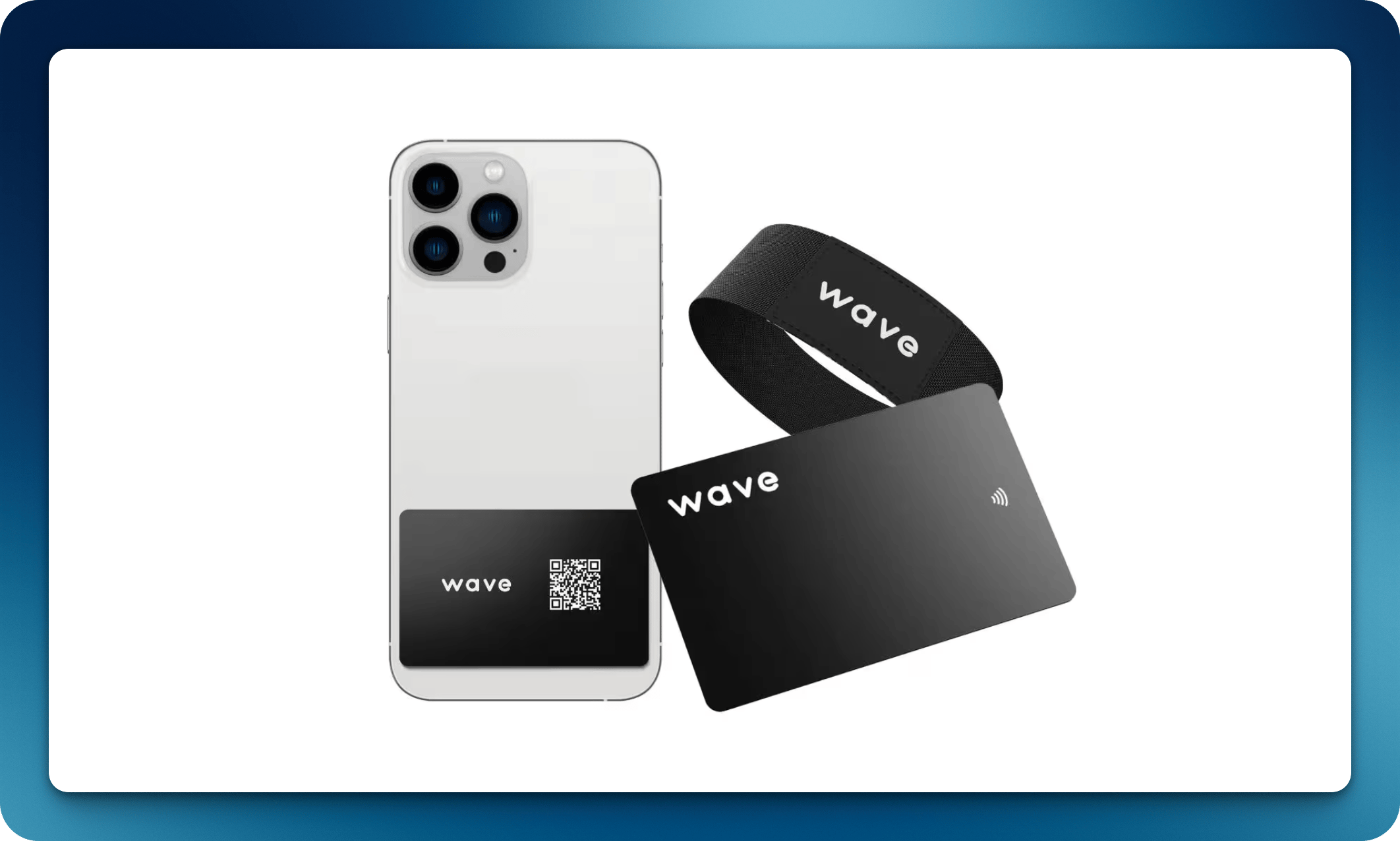
Available accessories
Phone tap card
A slim NFC card designed to attach to the back of your phone or phone case. Tap your phone against someone else’s device to share your profile instantly.NFC bracelet
An NFC-enabled wristband perfect for events, conferences, and networking situations where you want hands-free sharing.Linking accessories
All Wave Connect NFC accessories are linked to your profile the same way as NFC business cards:1
Tap the accessory on your phone
Use your smartphone to read the NFC chip.
2
Activate the product
Follow the activation link to connect it to your Wave Connect profile.
Shopping in the app
You can order cards and accessories without leaving Wave Connect. Open Shop in the sidebar of your dashboard. Organization admins find Shop in the organization sidebar, and checkout is pre-filled with the organization’s billing address. Members of an organization order from the Wave Connect online store instead, and Shop Now on their Products page takes them there.1
Pick a product
Browse the product grid and open a product to see its photos, reviews, price, and stock status. Choose a variant where available and set the Quantity.
2
Add it to your cart
Click Add to cart. Customizable cards show Customize Your Card instead; see below.
3
Check out
Open the Cart from the top of the Shop, review the items and Subtotal, then click Checkout. Shipping, taxes, and discount codes are calculated at checkout.
Customize your card
Custom-branded cards open a design tool instead of going straight to the cart:1
Open the designer
On the product page, click Customize Your Card.
2
Design your card
Upload your logo, add text, and position everything on a live preview of the card.
3
Add to cart
Click Add to cart in the designer. Your cart shows a preview of the finished design, and the print files are attached to the order.