George El-Hage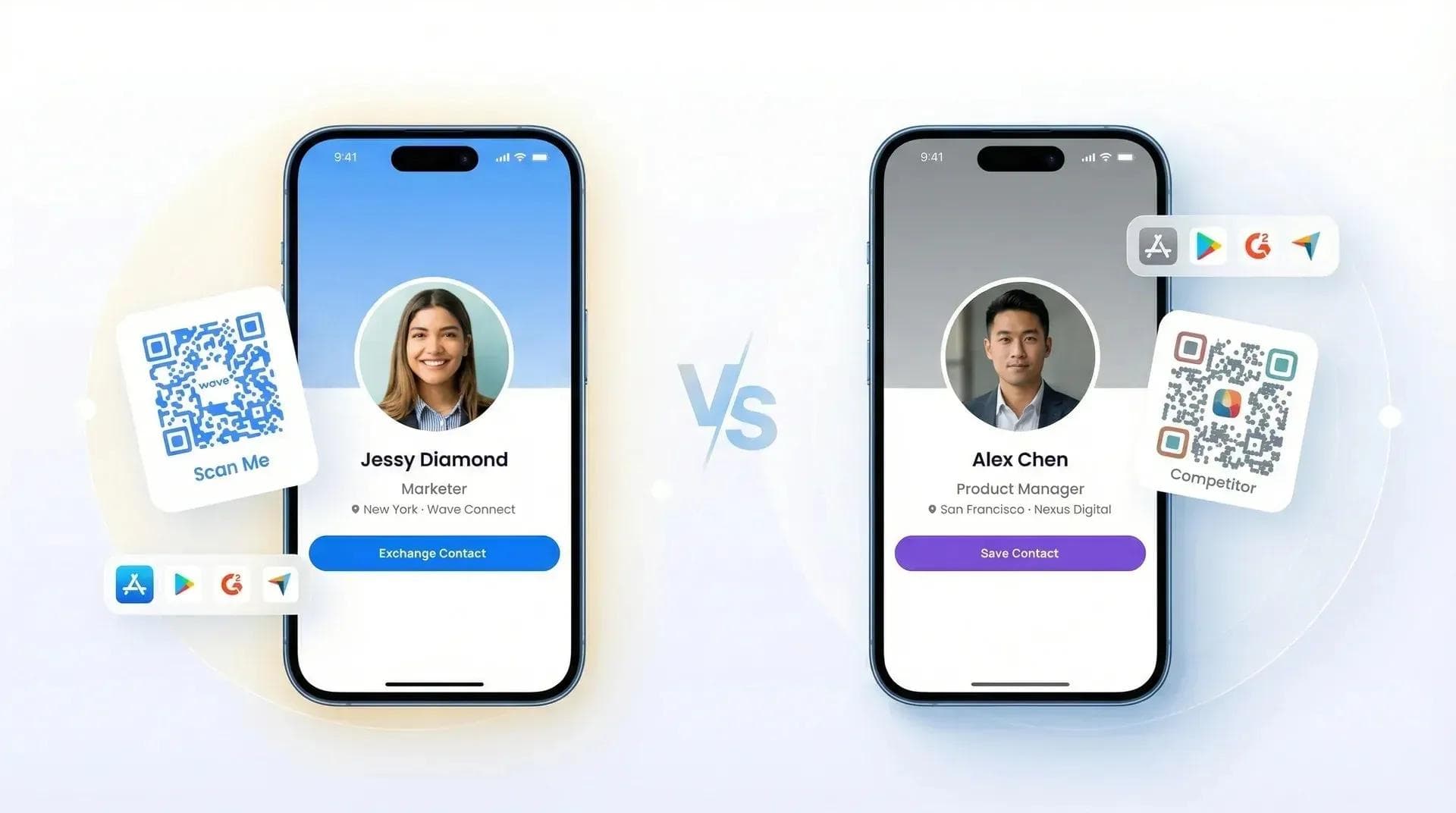
Free vs paid digital business cards comes down to one question: are "free" plans actually usable, or just limited demos? I tested 15+ free digital business card platforms in 2025 and found that only 3 had real free plans - the rest cap you at 10-50 shares per month, add watermarks, or lock basic features behind paywalls.
In this guide, I'll show you what free plans actually include (and what they hide), which platforms have truly usable free tiers, and when upgrading to paid makes sense. I've deployed 200,000+ digital business cards, so this is based on real testing, not marketing claims.
- Free vs paid digital business cards: a free plan is enough for most individuals, and a paid plan earns its cost when you need custom branding, CRM sync or team management.
- Wave Connect's free plan includes unlimited sharing, unlimited contacts, a lead capture form, analytics, and Apple Wallet and Google Wallet passes.
- Pro is $7 a month and adds a branded QR code and profile, custom colors, fonts and layout, CRM sync and a branded email signature.
- Teams adds an admin platform, templates and locked fields for companies, from $60 per user per year with a 3-seat minimum.
- Check what a free plan holds back before you pick: share or contact limits, analytics and wallet passes are where free plans differ most.
I Tested 15+ Free Plans: Here's What I Found
Let's cut to the chase. I created free accounts on every major platform. Here's what "free" actually means:
Blinq Free Plan:
- ✅ Unlimited sharing
- ✅ Apple Wallet included free
- ✅ Apple Watch widget for QR sharing
- ✅ Virtual backgrounds & email signatures
- ⚠️ "Powered by Blinq" branding on card + pop-ups to recipients
- ❌ Analytics paywalled
- ❌ Contact export paywalled
HiHello Free Plan:
- ✅ 4 free digital business cards
- ✅ Apple Wallet included free
- ✅ Unlimited card sharing
- ✅ Widgets for iOS and Android
- ⚠️ "Powered by HiHello" branding + "Download our app" pop-ups to recipients
- ❌ Card analytics paywalled ($6/mo, billed yearly)
- ✅ Contact export included
Popl Free Plan:
- ✅ 1 digital business card
- ✅ Apple Wallet included free
- ✅ Widgets for iOS and Android
- ⚠️ "Powered by Popl" branding + solicitation emails/pop-ups to recipients
- ⚠️ When I tested it, the free plan showed only 5 collected contacts before asking me to upgrade
- ❌ No lead capture
- ❌ No analytics
Wave Connect Free Plan:
- ✅ Unlimited sharing (forever)
- ✅ Apple Wallet included free
- ✅ Basic analytics included
- ✅ Contact export
- ✅ No time limit
💡 From My Testing: I shared my Blinq card with a potential client. They texted me: "Why am I getting emails to create my own card?" Embarrassing. The "Powered by Blinq" branding and follow-up emails made me look unprofessional. Switched to Wave Connect: zero solicitation.
Common "Gotchas" with Free Plans
Here's what platforms don't advertise about their free plans:
Gotcha #1: Branding & Solicitation on Your Card
The Problem: Blinq, HiHello, and Popl add "Powered by [Platform]" branding on your card. Worse: recipients see pop-ups saying "Download our app" and get solicitation emails. Your contacts become their leads.
Wave Connect's Approach: No pop-ups. No solicitation emails. Your contacts stay yours. See our detailed Wave Connect vs Blinq comparison for the full breakdown.
Gotcha #2: Contact Viewing Limits
The Problem: When I tested Popl's free plan, it showed only 5 collected contacts before asking me to upgrade. Popl no longer publishes its individual plan prices, so check the current limit in the app before you rely on it.
Wave Connect's Approach: Unlimited contact viewing and storage. Collect 1,000 contacts, still $0.
Gotcha #3: Analytics Paywalled
The Problem: Blinq, HiHello and Popl all keep card analytics off their free plans. You can't see who viewed your card without paying.
Wave Connect's Approach: Basic analytics included free (view counts, engagement tracking).
Gotcha #4: Contact Export Locked
The Problem: All competitors paywall contact export. Your data is hostage until you upgrade to paid plans.
Wave Connect's Approach: Export your contacts anytime (CSV format), even on free plan.
Gotcha #5: Recipients Get Spammed
The Problem: When someone views your Blinq/HiHello/Popl card, they get bombarded with "Create your own card" banners and emails. Unprofessional for you, annoying for them.
Wave Connect's Approach: Recipients see your info only. No ads, no pop-ups, no follow-up emails from us.
Gotcha #6: Privacy Concerns (Blinq)
The Problem: Blinq users can record in-person conversations within the app. While this may be useful for note-taking, it raises privacy concerns for the people you're meeting.
Wave Connect's Approach: No conversation recording features, focused purely on contact exchange and networking.
Free vs Paid: Side-by-Side Comparison
Here's what you actually get with each tier:
| Wave Connect Free | Wave Connect Pro ($7/mo) | Wave Connect Teams ($5/user) | |
|---|---|---|---|
| Contact Sharing | ✅ Unlimited | ✅ Unlimited | ✅ Unlimited |
| QR Code | ✅ Yes | ✅ Branded QR (with logo) | ✅ Branded QR (with logo) |
| Apple Wallet | ✅ Free | ✅ Custom branded | ✅ Custom branded |
| Wave Connect Branding | ⚠️ Shows Wave Connect branding | ✅ Remove branding | ✅ Remove branding |
| Custom Colors/Fonts/Layout | Basic | ✅ Full customization | ✅ Full customization |
| Analytics | ✅ Advanced (free) | ✅ Advanced | ✅ Advanced + Team |
| Contact Export | ✅ CSV | ✅ CSV | ✅ CSV + CRM Sync |
| Business Card Scanner | 1 credit ($2.50) per card | 1 credit ($2.50) per card | 1 credit ($2.50) per card |
| CRM Integrations | ❌ No | ✅ Yes (Salesforce, HubSpot) | ✅ Yes (Salesforce, HubSpot) |
| Team Management | ❌ No | ❌ No | ✅ Yes (Bulk edits, templates, permissions) |
| Price | $0 forever | $84/year | $60/user/year (3-seat min) |
3-Year Cost Comparison
Let's look at actual costs over 3 years (what free really costs):
| Platform | Free Plan | Paid Plan | 3-Year Cost |
|---|---|---|---|
| Wave Connect | Forever free (fully usable) | $7/mo Pro | Free: $0 | Pro: $252 |
| Blinq | Free (no analytics/export) | $9.99/mo Pro | Free: $0 | Pro: $360 |
| HiHello | Free (5 scans/month for lead capture*) | $6/mo Pro (billed yearly) | Free: $0 | Pro: $216 |
| Popl | Free (basic card only) | Not published | Free: $0 | Pro: not published |
*HiHello's 5 scans/month limit is for scanning OTHER people's business cards (lead capture), NOT for sharing your own card. Unlimited sharing is included on free plan. Pricing re-verified on each vendor's own site on October 4, 2026. Monthly prices, except HiHello, which publishes its yearly rate. Popl no longer publishes individual plan prices.
When Free Plans Are "Good Enough"
Free plans work perfectly for:
- Solo professionals: Freelancers, consultants, individual contributors
- Occasional networking: 2-5 events per month (not daily sales)
- Students/recent grads: Building network on tight budget
- Testing before team rollout: Validate platform before paying for 10+ users
- Basic contact sharing needs: Name, phone, email, social links
Real-world example: Sarah's a freelance designer who networks 2-3x/month at industry meetups. Wave Connect's free plan gives her unlimited sharing, Apple Wallet, and basic analytics. She's used it for 18 months without paying a cent. For more creative uses, see 10 ways to use your free digital business card.
When You Should Upgrade to Paid
Upgrade when you need:
- Remove Wave Connect branding: Clean, professional card without Wave Connect branding (Pro: $7/mo)
- Custom colors, fonts, and layout: Full design customization (Pro: $7/mo)
- Branded QR code with logo: Add your company logo to QR code (Pro: $7/mo)
- CRM integration: Auto-sync contacts to Salesforce/HubSpot (Pro: $7/mo)
- Paper business card scanner: Digitize paper cards from the app (Pro: $7/mo); enriching those contacts uses credits
- Team management: Bulk edits, custom templates, permissions (Teams: $5/user/mo): see our guide on the best digital business cards for teams
Real-world example: Jennifer's a sales rep who upgraded to Pro ($7/mo) for CRM sync and branded QR codes. ROI: Contacts sync to Salesforce automatically, no more Wave Connect branding on her cards. Mike's a sales director with 20 reps who upgraded to Teams ($5/user/mo = $100/mo) for bulk editing and custom templates. ROI: Updates all 20 cards in minutes, saves 5+ hours/week on manual data entry.
💡 From My Experience: I used Wave Connect's free plan for 6 months as a solo consultant. When I hired 3 team members, I upgraded to Teams plan ($20/mo) for centralized management. Free plan was perfect until I needed team features.
What You Sacrifice with Free Plans (Honest Assessment)
Let's be honest about free plan limitations:
What you DON'T get on Wave Connect's free plan:
- ❌ Remove Wave Connect branding (the Pro plan, $7/mo, removes it)
- ❌ Full design customization (Pro plan: custom colors, fonts, layout)
- ❌ Branded QR code with logo (Pro plan: add your company logo)
- ❌ CRM integrations (Pro plan: Salesforce, HubSpot, Pipedrive)
- ✅ Paper business card scanner (1 credit, or $2.50, per card)
- ❌ Team management (Teams plan: bulk edits, templates, permissions)
But here's the thing: If you're an individual professional, you don't need those features. Remove branding? Not critical. CRM integration? You're managing 20 contacts, not 2,000. Team management? You're solo. Want to make the most of your free card? Check our guide to sharing your digital business card.
Free plans work when your needs are simple. They don't work when you're running a sales team.
Wave Connect's Feature Comparison vs Competitors' Paid Plans
Here's something interesting: Wave Connect's free plan includes features other platforms charge for.
| Feature | Wave Connect Free | Blinq Free | HiHello Free | Popl Free |
|---|---|---|---|---|
| Apple Wallet | ✅ Free | ✅ Free | ✅ Free | ✅ Free |
| No Recipient Solicitation | ✅ None | ❌ Pop-ups + emails | ❌ Pop-ups + emails | ❌ Pop-ups + emails |
| Unlimited Sharing | ✅ Yes | ✅ Yes | ✅ Yes | ✅ Yes |
| Analytics | ✅ Basic (free) | ❌ Paid only | ❌ Paid only | ❌ Paid only |
| Contact Export | ✅ CSV (free) | ❌ Paid only | ✅ CSV (free) | ❌ Paid only |
Wave Connect's free plan combines zero recipient solicitation, analytics and contact export. The competitors here keep at least one of those on a paid plan.
Conclusion: Free Plans CAN Be Worth It (If You Choose Right)
Here's my take after testing 15+ platforms:
Most free plans aren't worth it. They're demos designed to frustrate you into upgrading. Sharing limits, watermarks, paywalled features, not actually free.
Wave Connect's free plan is different. It's actually usable. Unlimited sharing, Apple Wallet included, no time limit. I used it for 6 months before upgrading (only because I needed team features).
For individuals: Free is enough. Solo professionals, freelancers, occasional networkers: you don't need paid features.
For teams: Upgrade makes sense. 5+ people? CRM integration? Advanced analytics? That's when paying $5/user/month is worth it.
Try Wave Connect's forever free plan. No credit card. No time limit. Create your free card in under 2 minutes and see if free meets your needs before paying for features you might not use.
Frequently Asked Questions
Are free digital business cards really free forever?
Wave Connect's is forever free, with no time limit. Many others are 7-14 day trials that auto-charge. Always check "free plan" vs "free trial."
What's the catch with free plans?
Branding and recipient solicitation. Competitors add "Powered by" branding and spam your contacts with "Download our app" pop-ups. Wave Connect has none of this.
Can I upgrade from free to paid later?
Yes, instantly. Your data, contacts, and card design carry over. Wave Connect offers Pro ($7/mo) or Teams ($5/user/mo).
Will I lose my data if I don't upgrade?
Not on Wave Connect. Free plan stays active forever - your card works and contacts stay saved indefinitely.
Do free plans have watermarks?
Most competitors solicit your recipients. Wave Connect's free plan never sends your contacts sign-up prompts or marketing emails.
Is Wave Connect's free plan really unlimited sharing?
Yes. Share 10 or 10,000 times, still $0. No monthly caps or overage charges.
What features do I lose with a free plan?
No team management, CRM integrations, or full design customization. You keep unlimited sharing, Apple Wallet, analytics, contact export, and QR codes.
Can I use a free digital business card for my business?
Yes. Free works great for solo professionals and freelancers. Upgrade only when you need team features.
Are paid plans worth the cost?
For solo networking? Free is enough. For managing a sales team with CRM sync? Paid pays for itself in saved hours.
What's the best free digital business card?
Wave Connect. A genuinely usable free plan: unlimited sharing, Apple Wallet and analytics, forever free.
Try Wave Connect's Forever Free Plan
Unlimited sharing, Apple Wallet, basic analytics. Actually free. No credit card required. No time limit.
Get Your Free CardAbout the Author: George El-Hage is the Founder of Wave Connect, a digital business card platform with a forever free plan serving 200,000+ professionals. With 6+ years testing digital business card platforms, George advocates for transparent pricing and usable free plans. Wave Connect is SOC 2 Type II compliant and integrates with Salesforce, HubSpot, and Pipedrive.