George El-Hage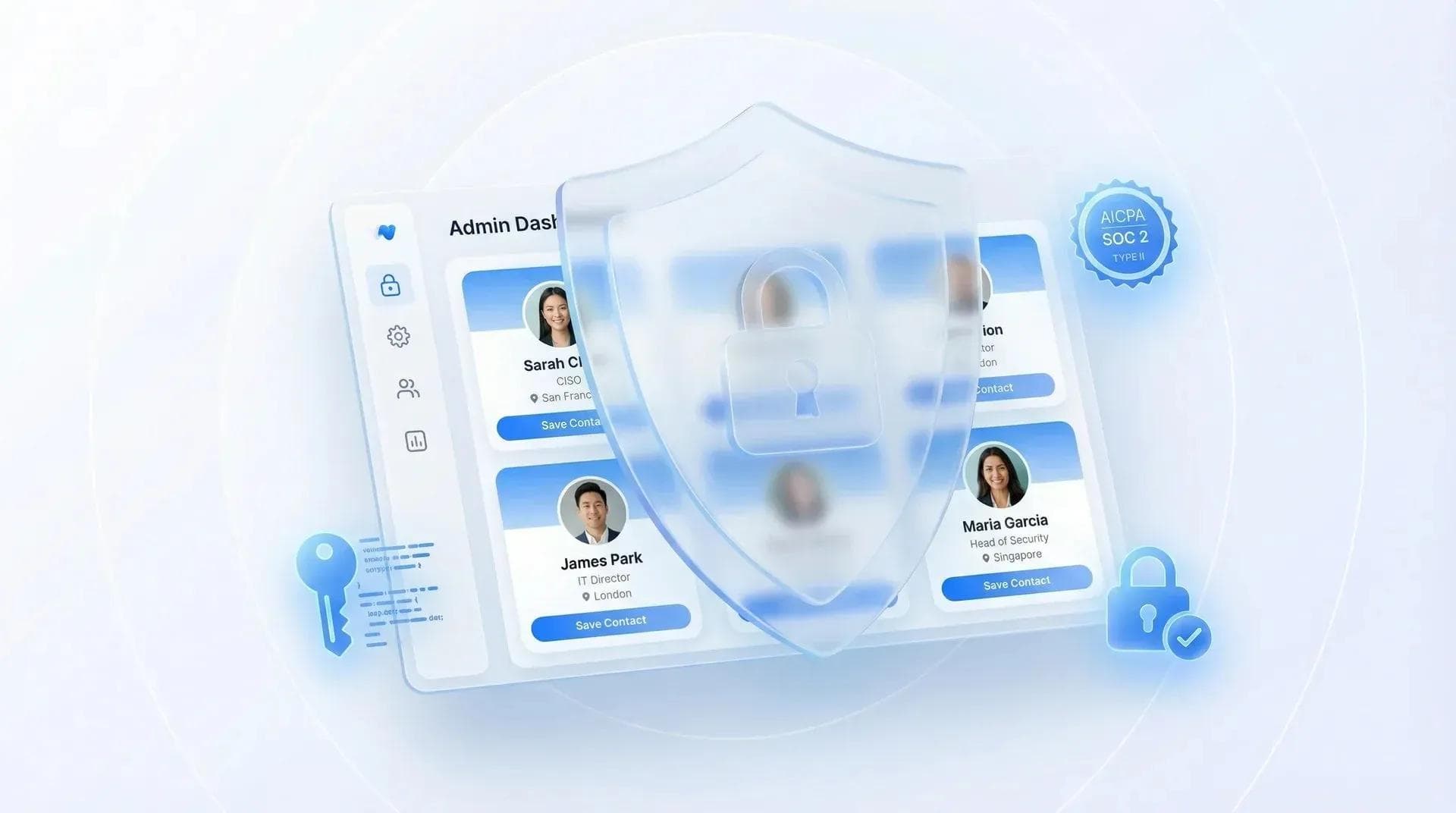
The short version: a secure digital business card platform should show you a SOC 2 Type II report, encrypt data at rest and in transit, support SAML single sign-on and SCIM provisioning, and sign a Data Processing Agreement for GDPR. Every card share is a data touchpoint (name, phone, email, title, company) flowing through a third-party platform, so treat the vendor like any system that holds customer data. If you're evaluating secure digital business cards for your enterprise, make this the first item on your checklist, not an afterthought.
In this guide, I'll walk you through exactly what to ask vendors, what red flags to watch for, and what a genuinely secure platform looks like. I've sat through dozens of these vendor evaluations from the other side of the table, so I know what IT teams actually care about - and where most platforms fall short.
- Security checklist: 8 questions every IT team should ask before choosing a vendor
- Browser vs app: Why architecture matters more than marketing claims
- Red flags: Warning signs that a vendor isn't as secure as they say
- Industry requirements: What finance, healthcare, legal, and insurance teams need specifically
Why Digital Business Card Security Should Be on Your IT Radar
Here's something I hear constantly from IT directors: "It's just a business card - how risky can it be?"
More risky than you'd think. A digital business card isn't a static image file. It's a live data exchange - contact information, analytics, CRM integrations, employee directories - all flowing through a vendor's infrastructure. For a 500-person organization, that's hundreds of data touchpoints per week running through a platform your security team may have never vetted.
According to IBM's 2024 Cost of a Data Breach report, the average breach cost exceeded $4.88M globally. And that number jumps significantly in regulated industries like healthcare and financial services. You don't need a catastrophic breach for this to matter - even a minor data handling violation can trigger compliance headaches that take months to resolve.
💡 From My Experience: In late 2024, a financial services firm asked me to provide our full SOC 2 Type II report before they'd even start a trial. They'd been burned by a previous vendor that claimed "bank-level security" on their website but couldn't produce a single third-party audit. That conversation is what inspired this guide.
The problem? Most platforms market "secure" without verified certifications to back it up. A padlock icon on a website doesn't mean much. So let's get into what you should actually be asking.
The Enterprise Buyer's Security Checklist (8 Questions to Ask)
I've put together the 8 questions I'd ask if I were sitting on your side of the table. Print this out, bring it to your next vendor call, and don't sign anything until you have clear answers to all eight. 📋
- Does the vendor have SOC 2 Type II certification?
Not "SOC 2 compliant" - that's a meaningless phrase. SOC 2 Type II means a third-party auditor verified their controls over a sustained period (typically 6-12 months). Ask to see the actual report. - What encryption standards are used?
You're looking for AES-256 encryption at rest and TLS 1.2 or higher in transit (TLS 1.3 is current). If a vendor can't name their specific encryption standards, that's a red flag. - How does authentication work?
Enterprise-grade means SSO integration - Okta, Azure AD, Google Workspace. Plus MFA support. If employees need yet another standalone password, you've just created a shadow IT problem. - Is the platform browser-based or app-based?
This matters more than most people realize. I'll dig into this in the next section, but the short version: browser-based = fewer attack vectors, no app permissions to manage. - Can you centrally provision and deprovision users?
When someone leaves the company on Friday, can you kill their card access by Friday afternoon? Bulk import via Excel/CSV and instant offboarding aren't nice-to-haves - they're security essentials. - What compliance certifications does the vendor hold?
GDPR compliance with a signed DPA is the one most teams need beyond SOC 2. Some industries also ask for ISO 27001 or HIPAA alignment, so check what your own policies require. - Does the vendor offer white-label domains?
Hosting cards on your own subdomain (card.yourcompany.com, not vendor.me/yourname) keeps your brand on every link your employees share. - Can you request audit reports and incident response documentation?
Any vendor worth considering should hand over their incident response plan, data processing agreement (DPA), and breach notification policy without hesitation. If they stall, walk.
I'd recommend scoring each vendor on these eight points. It sounds tedious, but it'll save you from a painful migration later. If you're managing digital business cards for teams, this checklist becomes even more critical - you're responsible for every employee's data.
Browser-Based vs App-Based: The Security Difference Nobody Talks About
This is the section where I get a little opinionated. 😬
Most digital business card platforms require a mobile app. That app requests permissions - contacts access, camera, location, storage. Each permission is an attack vector. Each permission is something your IT team has to approve, manage, and monitor.
Browser-based platforms work differently. The card lives as a web page. Recipients open it in their default browser - no download, no install, no permissions. The browser's sandbox isolates the session from the rest of the device.
Here's why that matters for enterprise security:
- No app to hack: App store vulnerabilities, app-level exploits, and reverse-engineering are eliminated entirely
- No permission creep: A browser page doesn't need access to your contacts, camera, or location
- Easier IT approval: No app means no MDM configuration, no app store approval process, no version management
- Simpler GDPR compliance: Fewer data collection points means less to disclose in your privacy policy
💡 From My Experience: A healthcare IT team told me their slowest rollout was a card app that asked for full contacts access, a non-starter for a hospital handling patient data. A card that opens in the browser skips that review for the people receiving it.
Apple Wallet integration adds another layer here. Cards saved to Apple Wallet use iOS native security - encrypted storage, biometric unlock - without requiring any third-party app layer. It's the best of both worlds: offline access with native device security.
I'm not saying apps are inherently bad. But if your security team needs to evaluate attack surface, a browser-based platform gives you a much smaller one. That's just math, not marketing. For a deeper look at how browser-based and app-based platforms compare, I broke that down separately. See also our V1CE comparison for a real-world example of a platform without SOC 2 certification.
What a Secure Enterprise Platform Actually Looks Like
So what happens when a platform actually checks every box on that checklist? Let me walk you through what we built at Wave Connect, not to sell you, but because I think it's useful to see what "checking every box" actually looks like in practice. 🔐
Compliance stack: Wave Connect holds a SOC 2 Type II attestation covering security, availability and confidentiality, is listed in the Cloud Security Alliance STAR registry at Level 1, and is GDPR compliant with a Data Processing Agreement available. Independent third-party security audits run at least annually, and we'll share the SOC 2 report on request.
Encryption and hosting: AES-256 at rest and TLS 1.3 in transit. Customer data is hosted on Google Cloud in the United States, and each organization's data is logically isolated, with role-based access control preventing cross-tenant access.
Authentication: SAML single sign-on with Okta, Azure AD or Google, plus automated provisioning through SCIM, on the Enterprise plan. Your employees use the credentials they already have.
User provisioning: Bulk Excel import lets you deploy hundreds of cards in minutes. When someone leaves, you deprovision them from the admin dashboard: their card goes dark, and the contacts they collected stay with your organization. No orphaned accounts floating around.
💡 From My Experience: An enterprise IT admin told me the bulk import replaced what had been a months-long rollout on their previous platform, which needed an app install and manual setup for every user.
Custom domains: your cards can live on your own subdomain (card.yourcompany.com) instead of ours, so every link your team shares carries your brand. And Wave Connect never solicits the people your team shares cards with, so your contacts don't become someone else's leads.
Browser-based architecture: No app to approve through IT review, no app permissions to manage, no app store vulnerabilities to monitor. Recipients don't need to download anything - ever.
If you're weighing the differences between free and paid plans across platforms, keep in mind that many vendors lock security features behind enterprise tiers. Check what's actually included before you compare pricing.
Red Flags: When to Walk Away from a Vendor
Let's be real - not every platform that says "secure" on their homepage actually is. Here's what to watch for. 🚩
- "SOC 2 compliant" but no report available: SOC 2 Type II is a specific audit with a specific report. If they can't produce it, they don't have it. Period.
- App requests unnecessary permissions: Full contacts access, location tracking, camera access for a business card? That's data collection, not functionality.
- No Data Processing Agreement (DPA): If they can't provide a DPA, they haven't thought seriously about GDPR. Run.
- No disaster recovery plan: Ask how they back up data and recover from an outage.
- No centralized admin dashboard: If you can't manage users from one place, you can't secure them from one place either.
- Vague data deletion timelines: GDPR Article 17 gives people the right to erasure. If the vendor takes 30+ days to process deletions, that's a compliance risk.
- No incident response plan: Ask for their breach notification policy. If they don't have one documented, they're not ready for enterprise.
I've seen vendors check three or four of these boxes and still close deals because the buyer didn't know what to ask. That's exactly why I wrote this guide. Mid-sized teams evaluating their first platform can start with Wave for Teams and upgrade to Enterprise when the compliance requirements increase.
Industry-Specific Security Requirements
Not every industry has the same security bar. Here's what I've seen matter most in the verticals I work with regularly:
Financial Services
SOC 2 Type II is table stakes. You'll also want MiFID II alignment if you're operating in Europe, mandatory SSO (no optional MFA - it has to be required), and a platform that doesn't force an app through your bank's IT review process. Browser-based deployments clear compliance reviews significantly faster in my experience.
Healthcare
HIPAA-readiness is non-negotiable. Even though a business card itself might not contain PHI, the platform infrastructure still needs to meet HIPAA standards because it's handling employee data within a covered entity. Ask how fast the vendor notifies customers of an incident, and check it against your own policies and the NIST framework standards your security team follows.
Legal
Attorney-client privilege extends to anything that could identify a client relationship. Right to erasure for departing clients matters. White-label domains are practically a requirement - a law firm's card should live on their own domain, reinforcing trust and data sovereignty.
Insurance
SOC 2 plus state-specific regulations create a patchwork of compliance requirements. Policyholder data protection, agent licensing verification, and centralized provisioning so compliance officers can audit who has active cards at any time.
💡 From My Experience: I've worked with firms across all four of these verticals. The single biggest time-saver? Having audit documentation ready before the first vendor call. Every regulated client I've onboarded has asked for our SOC 2 report within the first 48 hours. If a vendor can't deliver that instantly, they're not enterprise-ready.
FAQ: Digital Business Card Security for Enterprise
Ready to Deploy Secure Digital Business Cards?
SOC 2 Type II certified and GDPR compliant, with SAML SSO, SCIM provisioning and custom domains. See how Wave Connect Enterprise fits your security review.
Explore Enterprise SolutionsAbout the Author: George El-Hage is the Founder of Wave Connect, an event lead capture platform with a full digital business card built in, used by 200,000+ professionals and teams. With 6+ years building enterprise security infrastructure for digital business cards, George works directly with IT directors and CISOs to deploy compliant solutions across finance, healthcare, legal, and insurance. Wave Connect is SOC 2 Type II certified and supports SAML single sign-on with Okta, Azure AD and Google. Connect with George on LinkedIn.