George El-Hage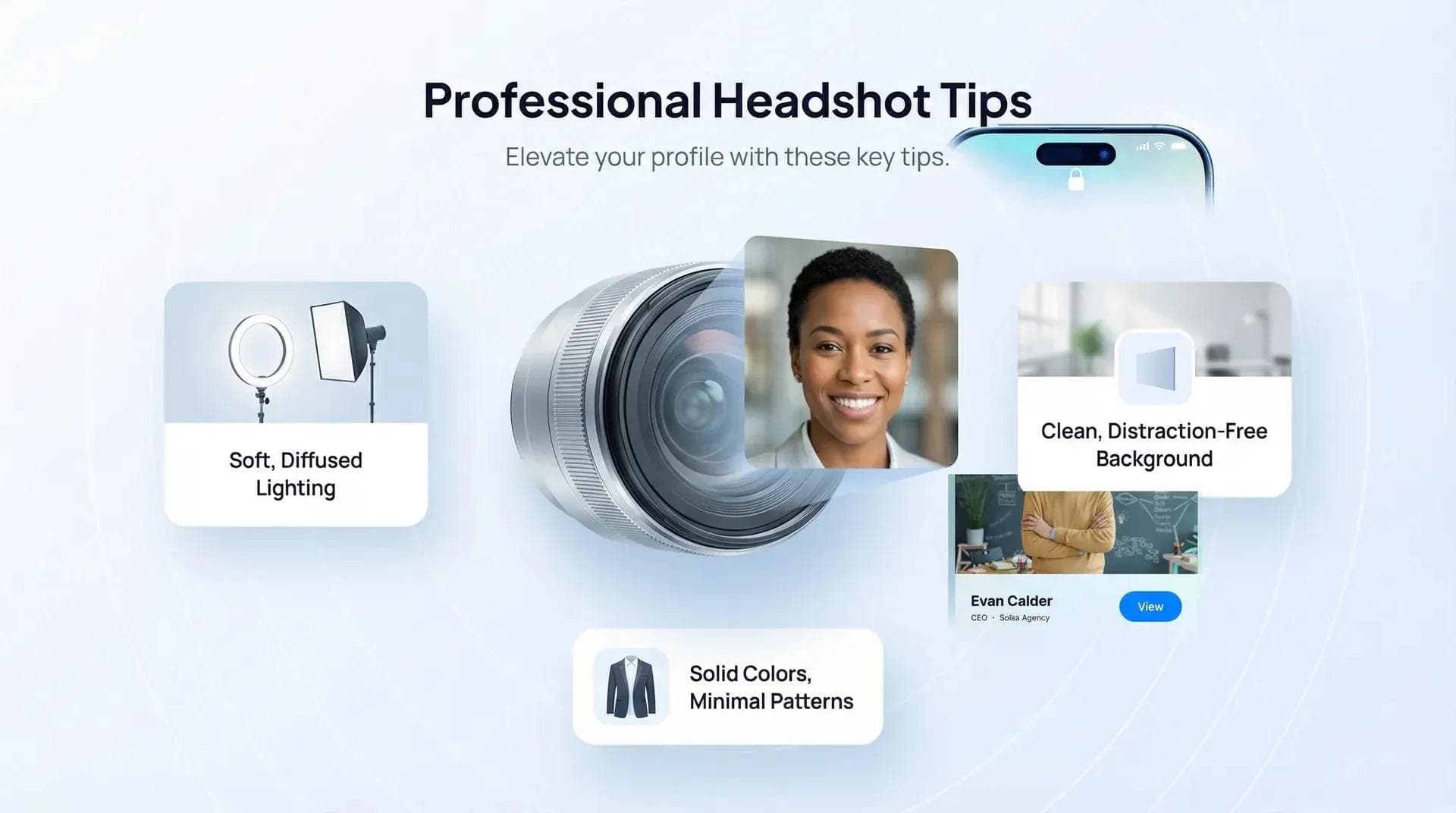
ビジネス用のプロフィール写真は、もはや役員やタレントだけのものではありません。LinkedInのアカウント、デジタル名刺、メール署名、社内の社員名簿など、あなたの顔写真は24時間365日、あなたの代わりに第一印象を作り続けています。しかし、そのポテンシャルを十分に活かせている人は決して多くありません。
この記事では、最適な服装やポージング、スマホを使ったセルフ撮影テクニック、2026年最新のAI写真生成ツールの実力、そしてよくある失敗例まで詳しく解説します。ぜひ参考にしてください。
ビジネス写真で最も重要なのは「事前準備」「ライティング(光)」「表情」の3つです。落ち着いた中間色(ミッドトーン)の無地の服を選び、窓からの自然光や明るい日陰を活用し、肩を少し斜めに構えて目元で微笑みましょう。高額なプロカメラマンに頼まなくても、スマホと三脚、そして適切な光があれば十分クオリティの高い写真が撮れます。AI生成ツールは急ぎの際には便利ですが、実際の撮影の完全な代用にはなりません。写真は1〜2年ごとに更新するのが理想です。
- 撮影前の準備: 仕上がりに最も差がつく服装、身だしなみ、メンタルの整え方
- 撮影中のポイント: 魅力的な印象を引き出すポージング、ライティング、表情の作り方
- スマホでのセルフ撮影: カメラマンを雇わずに自力でプロ並みの写真を撮る手順
- AI写真生成ツール: 使える場面とそうでない場面の本音レビュー
- 活用すべきプラットフォーム: プロフィール写真の重要性が特に高い場所
- よくある失敗例: ありがちな5つのNGポイントとその改善策
ビジネス用プロフィール写真が想像以上に重要な理由
ビジネス用プロフィール写真は、あなたのキャリアにおけるあらゆるビジュアルの中で最も多く見られる要素です。 LinkedIn、メール署名、デジタル名刺、社内名簿、Slack、Teams、Zoomなど、あらゆる場面で表示されます。LinkedInの独自調査によると、プロ仕様の顔写真を設定しているプロフィールは、未設定のプロフィールに比べて閲覧数が最大14倍にも跳ね上がるとされています。これは単なる誤差ではなく、認知度と信頼性に圧倒的な差がつくことを示しています。
数十万件にのぼるデジタルプロフィールを見てきて気づいたのは、人はまず「顔写真」を見るということです。役職でも社名でもありません。人は顔写真を見て、わずか2秒ほどで「この人は信頼できそうか」「親しみやすいか」「つながる価値があるか」を直感的に判断しています。
💡 経験者からのアドバイス: 当社のプラットフォーム上のプロフィールを分析すると、清潔感のあるプロ仕様の写真を設定しているユーザーは、写真がない人や不鮮明な自撮りを切り抜いただけの人に比べて、連絡先を保存される確率が明らかに高くなっています。写真は「この人は仕事を真剣に捉えている」と伝える最も手軽で強力なシグナルです。
転職活動中の方も、セルフブランディングを強化したい方も、ご自身のデジタル上の印象を実際の仕事力にふさわしいレベルに引き上げたいなら、プロフィール写真にこだわる価値は十分にあります。それでは具体的な撮影方法を見ていきましょう。
撮影前の準備 — クオリティを高める事前ステップ
写真の出来栄えを大きく左右するポイントの多くは、カメラを構える前の準備段階にあります。多くの人が失敗するのはこの準備不足が原因です。服装や身だしなみ、気持ちの準備をせずにいきなり撮影に臨んでしまうと、それがそのまま写真に表れてしまいます。
服装選び
無地で落ち着いた中間色(ミッドトーン)を選びましょう。ブルー、グリーン、グレー、落ち着いたアースカラーなどは写真映えが抜群です。細かなストライプやチェック柄は、カメラ上で「モアレ」と呼ばれる不自然な縞模様のノイズが発生するため避けてください。服装のフォーマル度は、普段の職場よりワンランク上を意識するのがおすすめです。普段がカジュアルな職場ならジャケットを羽織り、普段からスーツを着る職種なら、体型にフィットした清潔感のあるシワのないものを選びましょう。
袖の長さも意外と重要です。上半身を切り取る構図では、ノースリーブよりも長袖や七分袖の方がバランス良くすっきりとまとまります。また、2〜3着のバリエーションを用意しておくと、一度の撮影で違った雰囲気の写真を残せます。
身だしなみ・ヘアメイク
ヘアカットは撮影当日ではなく、5〜7日前に済ませておくのが鉄則です。切った直後は髪型が馴染んでいないことがあります。整髪料を使う場合は、テカリの強すぎない自然な質感のものを選びましょう。肌のケアは1週間ほど前から始め、しっかり保湿し、肌荒れの原因になる新しい化粧品は避け、シンプルなスキンケアを心がけてください。
メイクはナチュラルさを重視しましょう。「作り込んだメイク」ではなく「コンディションが一番良い日の自分」を目指します。スタジオの照明で厚塗りに見えたり崩れたりするのを防ぐため、ラメやパールが強いもの、厚いパウダーよりも、マット寄りのファンデーションが適しています。
メンタルの準備
これは見落とされがちですが非常に大切です。写真で表情が硬くなってしまうのは、カメラのせいではなく緊張が原因です。リラックスさせてくれる友人に同席してもらったり、事前に鏡の前で表情の練習をしておくと効果的です。おすすめのテクニックは、シャッターが切られる直前に本当に面白かったことを思い浮かべること。自然な笑顔には目元の筋肉が不可欠で、これは作り笑いでは再現できません。😊
撮影中の実践テクニック — ポージング・ライティング・表情
優れたプロフィール写真と印象に残らない写真を分けるのは、「適切なポージング」「自然なライティング」「自然な表情」の3点です。 専門的な撮影技術は不要です。ちょっとしたコツを意識するだけで、写真の仕上がりは劇的に変わります。
ポージング
カメラに対して真正面を向くのは避けましょう。体を30〜45度ほど斜めに構え、少し前傾姿勢をとることで、意欲的でエネルギッシュな印象になります。顎を少し前に出してわずかに引くと、スリムな方でも写真に出やすい二重あごを自然に解消できます(少し不自然に感じる体勢ですが、写真では綺麗に写ります)。顔の角度も微調整してみてください。ほんの少し首をかしげるだけで、写真全体の雰囲気が驚くほど柔らかくなります。
ライティング(光の当て方)
最も頼りになるのは自然光です。屋外で撮影する場合は、木陰や建物の日陰など「明るい日陰」を選びましょう。頭上からの直射日光の下での撮影は絶対に避けてください。目の下や鼻の下に濃い影が落ち、一気に老けた印象になってしまいます。
屋内でセルフ撮影をするなら、大きな窓に向かって立つのがベストです。部屋の蛍光灯は消してください(肌がくすんだ緑や黄色っぽく写ってしまいます)。曇りの日は雲が巨大なディフューザー(光を和らげる装置)の役割を果たすため、実は撮影に最適な天候です。カメラマンに依頼して本格的なセットアップを行う場合は、Digital Camera Worldのポートレートライティングガイドなどの技術資料も参考にしてみてください。
表情の作り方
「スクインチ(Squinch)」と呼ばれるテクニックが非常に効果的です。上まぶたの力を抜き、下まぶたを少しだけ引き上げるように目を細めると、眩しそうに見えることなく、自信に満ちた引き締まった目元を作れます。歯を見せる笑顔と口を閉じた笑顔の両方を試してみましょう。同じ笑顔を30枚ずっとキープし続けるのではなく、シャッターごとに顔をほぐし、笑ってリセットしてから次のカットを撮るのがコツです。
構図とフレーミング
基本は胸から上のバストアップです。カメラの高さは目線の高さか、わずかに上くらいに合わせます。視線が最初に集まる「瞳」にピントをしっかりと合わせましょう。頭の上には少し余白を残し、窮屈な印象にならないようにします。デジタル名刺で使用する場合は、円形や小さな四角形で表示されることが多いため、顔がフレームの中央に収まるように意識してください。
スマホで撮るセルフビジネス写真(カメラマン不要)
好印象なビジネス写真を撮るために、高額な撮影プランを契約する必要はまったくありません。 適切な撮影テクニックさえ押さえれば、最新のスマートフォンでLinkedInやデジタル名刺、社員名簿にそのまま使えるクオリティの写真が十分に撮影できます。
具体的な手順は以下の通りです:
- 背面カメラを使用する: インカメラ(自撮り用)よりも背面カメラの方が解像度が高くレンズも鮮明です。3秒タイマーを設定するか、Bluetoothのリモートシャッターを使いましょう。
- 三脚や安定した台を活用: 手持ちの自撮りはNGです。両手を自由にし、アングルを固定することが重要です。ネット通販で手に入る安価なスマホ用三脚で十分です。
- ライティング: 大きな窓に向かって立ち、室内の蛍光灯は消します。曇りの日なら光が自然に拡散されてベストな環境になります。
- 背景の選び方: すっきりとして生活感のない場所を選びましょう。無地の壁、整理された本棚、あるいは適度にぼかした屋外の風景などが適しています。視線を奪う余計なものが写り込まないようにしてください。
- 写真の補正・編集: コントラストや明るさを軽く調整する程度にとどめ、過度なフィルター加工は避けましょう。胸から上の画角にトリミングします。最近のスマホのポートレートモードを使えば、背景のボケ味も綺麗に仕上がります。
💡 経験者からのアドバイス: 当社のプラットフォームで見かける特に印象の良い写真の中には、スタジオではなく自宅の窓際でスマホを使って撮影されたものが数多くあります。成否を分けるのはいつでも「光」です。光さえ正しく捉えられれば、あとはスマートフォンのカメラが美しく仕上げてくれます。
納得のいく写真が撮れたら、魅力的なLinkedInの見出しと組み合わせましょう。写真で視線を引きつけ、見出しで相手の関心を維持することで、記憶に残るプロフィールが完成します。
AIプロフィール写真作成ツール — 2026年現在の実力は?
HeadshotPro、Aragon AI、Try It On AIなどのAI顔写真生成ツールは驚くほど進化していますが、依然として本物の写真の完全な代替とまでは言えません。 数枚の自撮り写真をアップロードするだけで、約15〜30ドルでスタジオ品質の様々なスタイルや背景の写真を生成できる手軽さは大きな魅力です。
AIヘッドショットが活躍するケース
手軽かつ安価で、旅行の写真を切り抜いたものや3年前の結婚式の写真よりはるかに見栄えの良い仕上がりになります。数週間後の撮影予約を待つ余裕がなく、今すぐプロ仕様のヘッドショットが必要な場合、AIは頼れるつなぎの選択肢となります。また、Slackや社内ディレクトリのように写真が小さく表示されるプラットフォームなら、十分自然に見えます。
AIヘッドショットが不向きなケース
AIによるヘッドショットには、どこか独特の違和感が生じることがあります。肌が滑らかすぎたり、照明が完璧すぎたり、目元に少し不自然さが残ったりするためです。あなたをよく知る人なら気づくかもしれません。また、人柄やエネルギーまでは再現できないという課題もあります。クリエイティブ職や役員クラス、顧客対応の最前線に立つ職種などでは、一目で生成されたとわかる写真は好ましく思われないこともあります。
正直なところ、3年前の結婚式写真をトリミングして使うくらいなら、迷わずAIを選びましょう。ただし、プロによる撮影や、スマートフォンを使った丁寧なセルフ撮影ができる環境であれば、そちらのほうが常に優れた結果につながります。
視覚的な印象がプロフェッショナルとしての評価に与える影響について、詳しくはパーソナルブランディングに関する統計をご覧ください。第一印象に関する驚くべきデータがまとまっています。📊
撮影したヘッドショットの活用先
納得のいくヘッドショットが用意できたら、LinkedInにアップロードして終わりにしないでください。 オンライン上で見つかるすべての場所で、同じ写真を統一して使用することが大切です。特に重要な活用先は以下のとおりです。
- LinkedInプロフィール — 最も代表的な掲載場所です。常に最新の状態を保ちましょう。2年以上前の写真を使っているなら、更新のタイミングです。
- デジタル名刺 — 名刺を開いた相手が最初に目にするのがヘッドショットです。Wave Connectでは、プロフィール写真が名刺上部の最も目立つ位置に配置されます。洗練されたヘッドショットを使うことで、名刺全体の信頼性が大きく高まります。
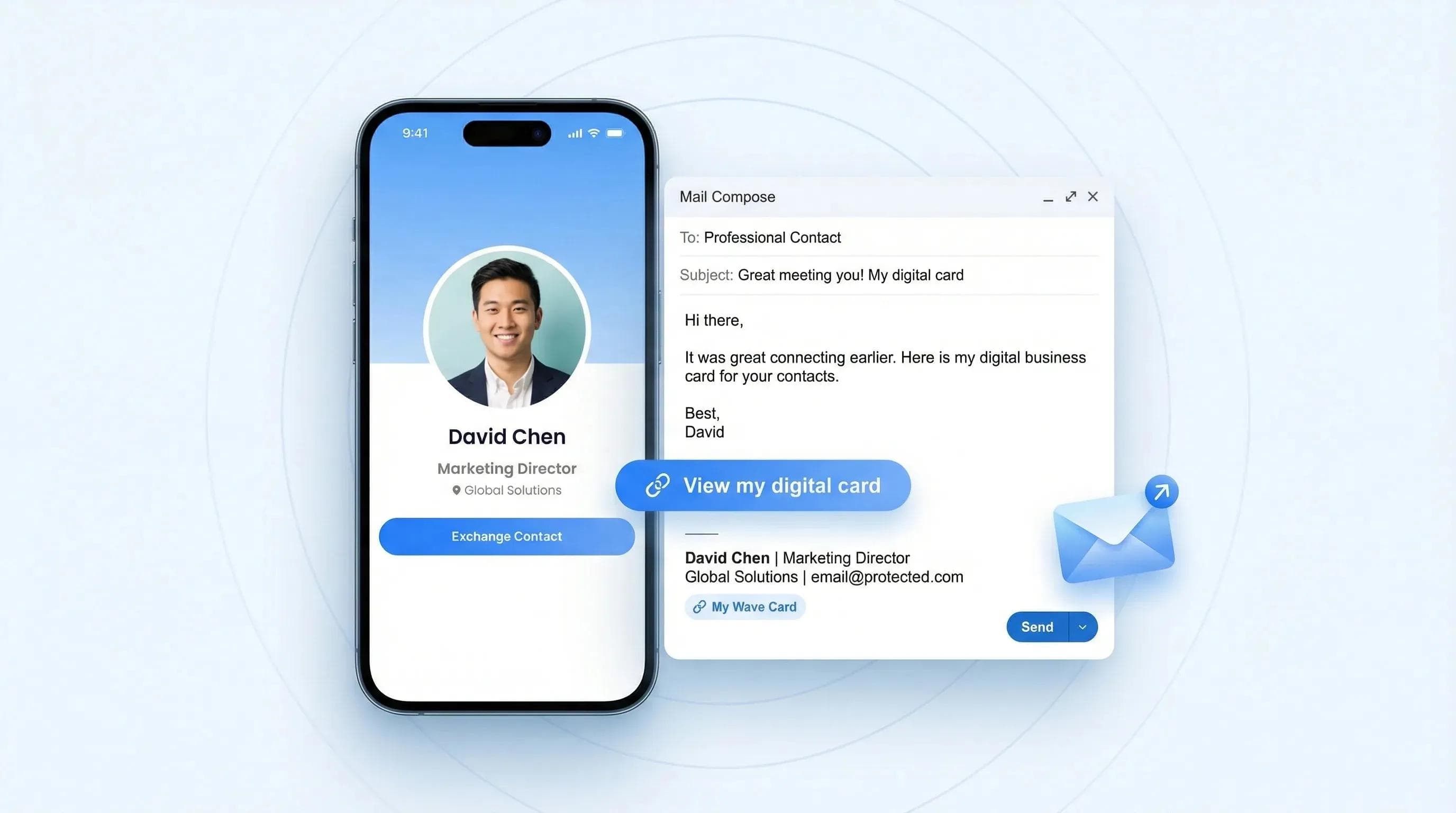
- メール署名 — 新規営業のメールに顔写真を入れることで、親しみやすさと記憶に残りやすさが生まれます。わずか80x80ピクセルの小さな写真であっても、返信率の向上につながります。
- 社内ディレクトリ/Slack/Teams — プラットフォーム間で写真を統一することで認知度が高まります。メール、Slackのプロフィール、そしてデジタル名刺のデザインに同じ写真が使われていると、ブランドイメージがより強固になります。
ヘッドショットは、あらゆるビジネス接点をつなぐ中心的なビジュアル要素です。一度納得のいくものを撮影し、すべての場所で統一して展開することは、プロフェッショナルとしてのイメージ向上において最も費用対効果の高い投資の一つと言えます。
ヘッドショットに合わせてビジネスツールの完成度も高めたい方は、まずは魅力的なエレベーターピッチの作成から始めましょう。優れた写真は相手の関心を引きつけ、明確なピッチは会話をスムーズに前進させます。
避けるべきヘッドショットの5つのよくある失敗
これまで何千ものビジネスプロフィールを見てきた中で、繰り返し目にする代表的な失敗が5つあります。 これらを避けるだけでも、周囲に大きな差をつけることができます。
- 頭上からの直接照明: 目や鼻の下に濃い影ができ、疲れて見えたり実年齢より老けて見えたりします。照明の真下に座るのではなく、必ず光源と正面に向き合うようにしましょう。
- 派手な柄や目立つロゴ: チェック柄のシャツや大きなロゴが入った企業のポロシャツなどは、顔から視線を奪ってしまいます。服装は常に無地を選びましょう。主役は服ではなく、あなた自身の顔です。
- 過度な加工や強いフィルター: Instagramのフィルターを何重にもかけたような写真は、相手の信頼を一瞬で損ないます。ビジネスで求められるのは実物とかけ離れた加工写真ではなく、ありのままのあなたです。肌トラブルの補正や明るさの微調整程度にとどめ、過度な加工は避けましょう。
- 古すぎる写真: 髪型を変えたり、体型が変化したり、ヒゲを生やしたりして、実際の印象と大きく異なる場合は更新が必要です。実物とギャップがありすぎる写真は、写真がないことよりも悪影響を及ぼします。😬
- 不適切なトリミングや背景: 全身が写りすぎている構図(ヘッドショットには不向き)、雑然とした背景(物が散らかった本棚やキッチンのカウンターなど)、下からの自撮りアングル(二重あごになりがち)は避けましょう。胸から上のバストアップ、すっきりとした背景、目の高さに合わせたカメラ位置を意識してください。
ヘッドショットだけでなくブランドイメージ全体のリニューアルをお考えの方は、企業のリブランディング手順に関するガイドをご覧ください。ヘッドショットの刷新は、その第一歩にすぎません。
よくある質問
ビジネス用のヘッドショットはどのくらいの頻度で更新すべきですか?
1〜2年ごと、または外見に大きな変化があったタイミングでの更新をおすすめします。 実物と印象が異なる写真は、プラスになるどころかマイナスの印象を与えてしまいます。
LinkedInでAI生成のヘッドショットを使っても問題ありませんか?
問題ありませんが、高品質な生成ツールを選び、実際のあなたに似ていることを確認してください。 「同僚が見ても自分だとわかるか」を基準に選びましょう。
ヘッドショット撮影ではどのような服装を着るべきですか?
落ち着いた中間色(ミッドトーン)の無地と、すっきりとした襟元の服が最適です。 派手な柄や目立つロゴ、重要なクライアントとの面談に着ていかないような服は避けましょう。
質の高いヘッドショットにはプロのカメラマンが必要ですか?
必ずしも必要ではありません。 ポーズや構図の基本ルールさえ押さえれば、良好な自然光とすっきりした背景のもとでスマートフォンのカメラを使っても、十分に魅力的なヘッドショットを撮影できます。
ヘッドショットに最適な背景は何ですか?
ニュートラルカラーまたは落ち着いたトーンの、シンプルで視線を邪魔しない背景が最適です。 無地の壁、背景をぼかした屋外、シンプルなスタジオのバックペーパーなどが適しています。
ヘッドショットでは笑顔を見せるべきですか?
多くの業界において、自然で親しみやすい表情が最も好印象を与えます。 目元が生き生きとした控えめな笑顔は、自信と信頼感を感じさせます。
撮影した写真の中からベストな1枚をどう選べばよいですか?
目元が最も生き生きとして魅力的に見える1枚を選びましょう。 信頼できる知人2〜3人に選んでもらうのも効果的です。自分では選ばないような、より魅力的な1枚を見つけてくれることがよくあります。
ヘッドショットの準備ができたら、次のステップへ
素晴らしいヘッドショットには、それにふさわしいデジタルプレゼンスが必要です。無料のデジタル名刺を作成して、新しい写真をさっそく活用しましょう。
無料のデジタル名刺を作成著者について: George El-Hageは、世界15万人以上のプロフェッショナルが利用するデジタル名刺プラットフォーム「Wave Connect」の創業者です。紙の名刺からデジタルネットワーキングへの移行支援に6年以上携わり、数十万件ものデジタルプロフィールを分析してきた経験から、第一印象で差をつけるためのポイントを熟知しています。つながりはこちらから:LinkedIn。