> ## Documentation Index
> Fetch the complete documentation index at: https://wavecnct.com/docs/llms.txt
> Use this file to discover all available pages before exploring further.
# Lock Fields
> Lock fields in a template to keep values consistent across your team
Available on the **Teams** and **Enterprise** plans.
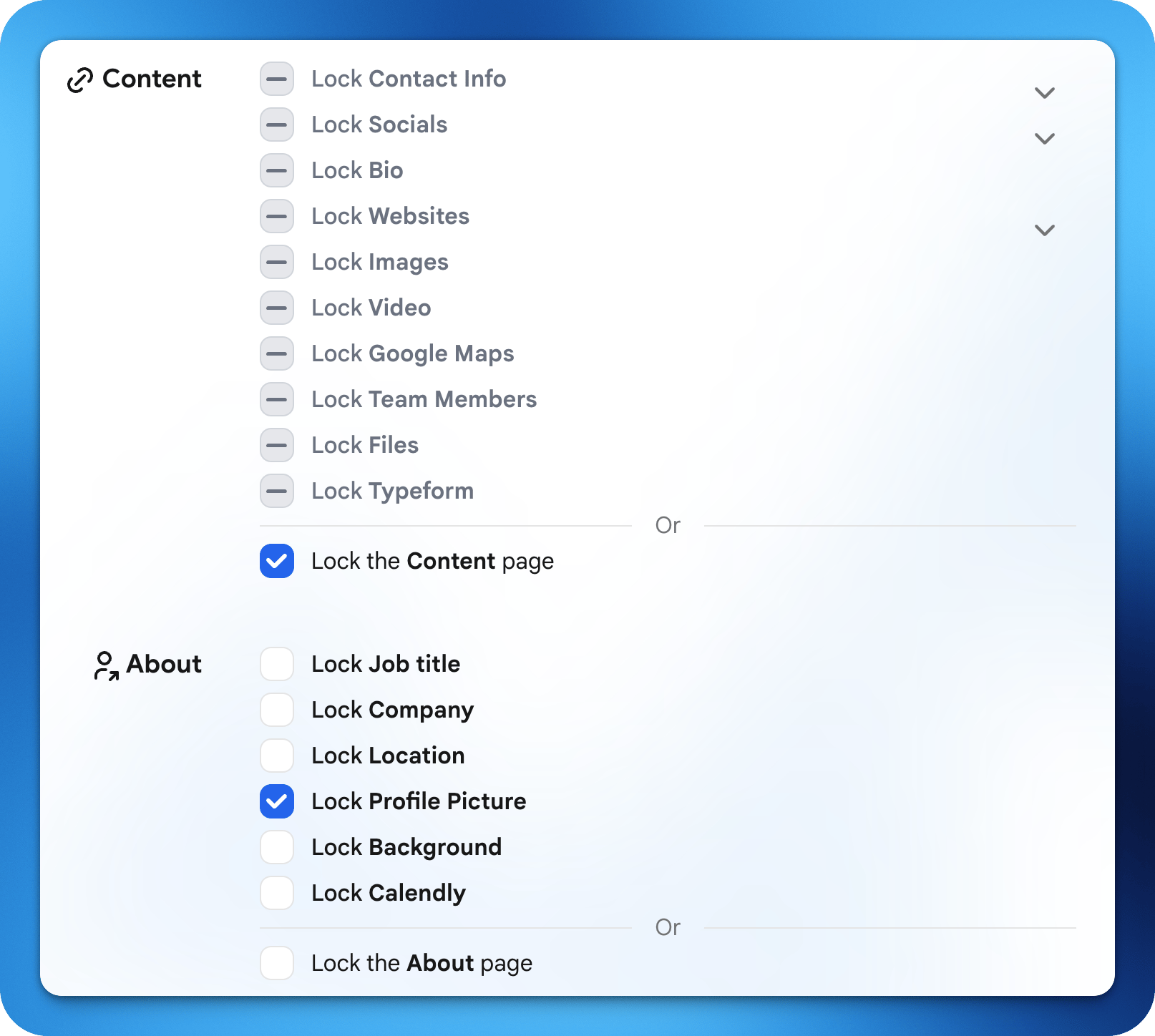 ### **Locked Fields**
Locked fields ensure brand consistency by fixing a value across all users on the template. When a field is locked, it is set by the admin and cannot be edited by individual users.
Common examples of locked fields include company name, company logo, company website, and any shared social media accounts.
Some fields may vary by use case. For example, LinkedIn is typically unique to each employee, while a company's Twitter or Instagram account may be locked across the team.
## Examples
| Field | Typical Setting | Why |
| :-------------- | :-------------- | :--------------------- |
| Company Name | Locked | Same for all employees |
| Company Logo | Locked | Brand consistency |
| Company Website | Locked | Same URL for everyone |
Use locked fields for anything that should be consistent across the team (company info, branding, standard links).
### **Locked Fields**
Locked fields ensure brand consistency by fixing a value across all users on the template. When a field is locked, it is set by the admin and cannot be edited by individual users.
Common examples of locked fields include company name, company logo, company website, and any shared social media accounts.
Some fields may vary by use case. For example, LinkedIn is typically unique to each employee, while a company's Twitter or Instagram account may be locked across the team.
## Examples
| Field | Typical Setting | Why |
| :-------------- | :-------------- | :--------------------- |
| Company Name | Locked | Same for all employees |
| Company Logo | Locked | Brand consistency |
| Company Website | Locked | Same URL for everyone |
Use locked fields for anything that should be consistent across the team (company info, branding, standard links).