> ## Documentation Index
> Fetch the complete documentation index at: https://wavecnct.com/docs/llms.txt
> Use this file to discover all available pages before exploring further.
# SMS
> Share your digital business card via text message
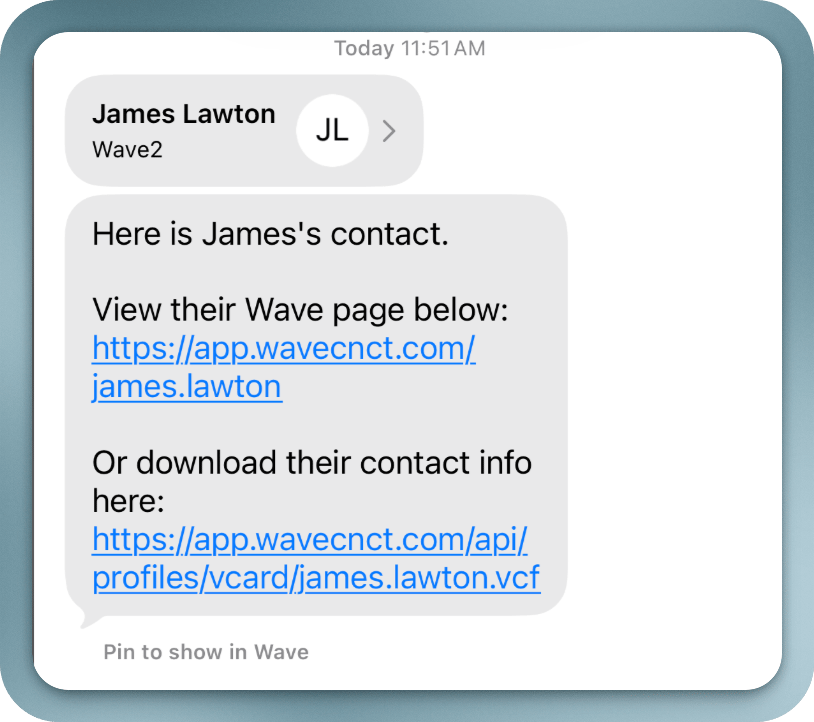 Text your Wave digital business card link to anyone via SMS. This is a quick way to share your contact information when you have someone's phone number.
## How to Share via SMS
From your Wave profile, tap the Share button.
Choose the SMS sharing option.
Type the recipient's phone number or select from your contacts.
A text message with your Wave profile link is sent to the recipient.
## What the Recipient Sees
The recipient gets a text message containing a link to your Wave profile. When they tap the link, your digital business card opens in their browser, where they can:
* View all your contact information
* Save your details directly to their phone contacts
* Share their own contact information with you via the lead capture form
Text your Wave digital business card link to anyone via SMS. This is a quick way to share your contact information when you have someone's phone number.
## How to Share via SMS
From your Wave profile, tap the Share button.
Choose the SMS sharing option.
Type the recipient's phone number or select from your contacts.
A text message with your Wave profile link is sent to the recipient.
## What the Recipient Sees
The recipient gets a text message containing a link to your Wave profile. When they tap the link, your digital business card opens in their browser, where they can:
* View all your contact information
* Save your details directly to their phone contacts
* Share their own contact information with you via the lead capture form