> ## Documentation Index
> Fetch the complete documentation index at: https://wavecnct.com/docs/llms.txt
> Use this file to discover all available pages before exploring further.
# Accessories
> Explore Wave's NFC accessories beyond traditional business cards
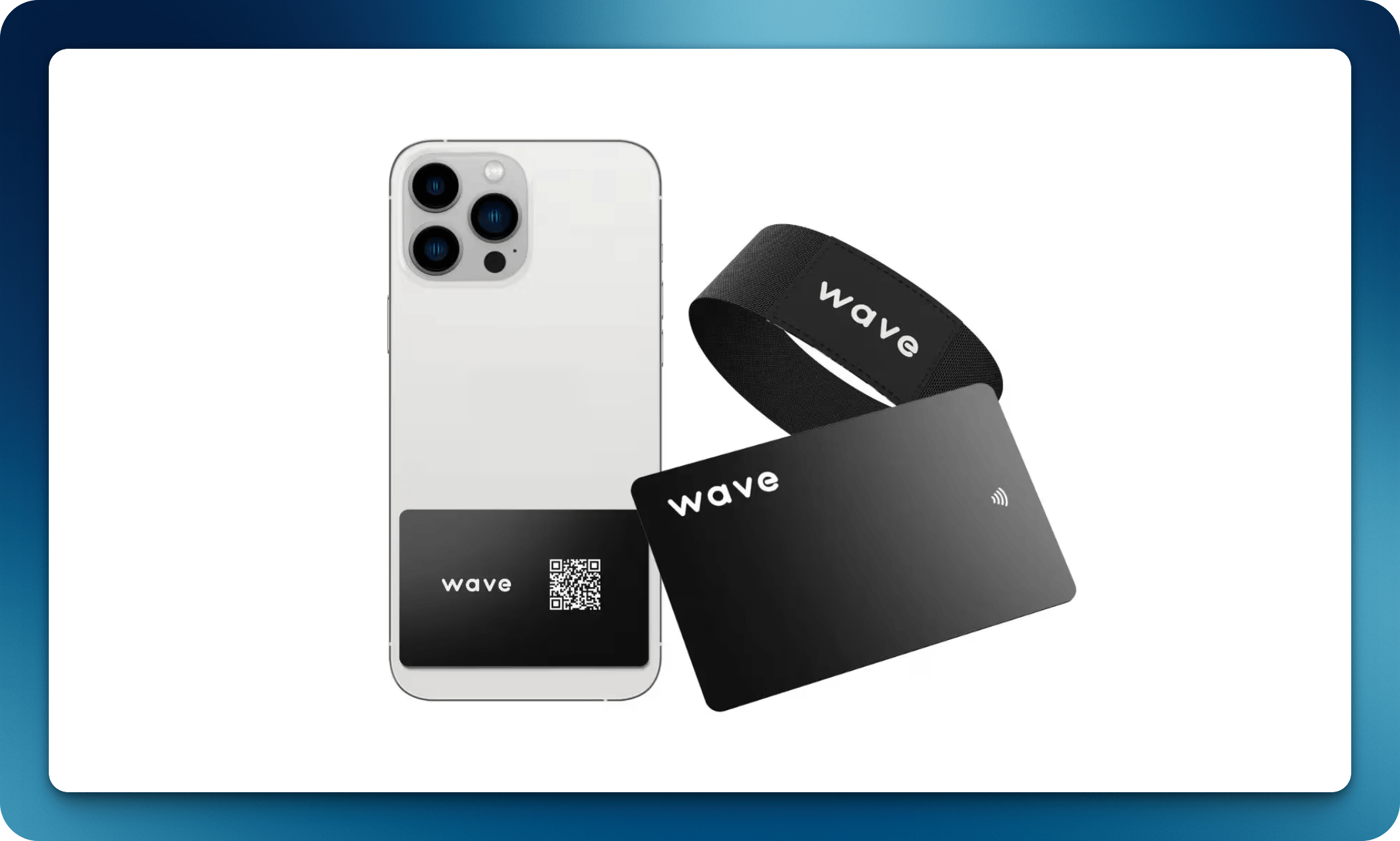 In addition to NFC business cards, Wave offers a range of NFC-enabled accessories for different use cases.
## Available Accessories
### Phone Tap Card
A slim NFC card designed to attach to the back of your phone or phone case. Tap your phone against someone else's device to share your profile instantly.
The Phone Tap Card works with most phone cases. It can be placed inside a clear case for a seamless look.
### NFC Bracelet
An NFC-enabled wristband perfect for events, conferences, and networking situations where you want hands-free sharing.
## Linking Accessories
All Wave NFC accessories are linked to your profile the same way as NFC business cards:
Use your smartphone to read the NFC chip.
Follow the activation link to connect it to your Wave profile.
## Waterproof Products
All Wave NFC products are designed to be water-resistant for everyday use. See product specifications for detailed durability ratings.
In addition to NFC business cards, Wave offers a range of NFC-enabled accessories for different use cases.
## Available Accessories
### Phone Tap Card
A slim NFC card designed to attach to the back of your phone or phone case. Tap your phone against someone else's device to share your profile instantly.
The Phone Tap Card works with most phone cases. It can be placed inside a clear case for a seamless look.
### NFC Bracelet
An NFC-enabled wristband perfect for events, conferences, and networking situations where you want hands-free sharing.
## Linking Accessories
All Wave NFC accessories are linked to your profile the same way as NFC business cards:
Use your smartphone to read the NFC chip.
Follow the activation link to connect it to your Wave profile.
## Waterproof Products
All Wave NFC products are designed to be water-resistant for everyday use. See product specifications for detailed durability ratings.