> ## Documentation Index
> Fetch the complete documentation index at: https://wavecnct.com/docs/llms.txt
> Use this file to discover all available pages before exploring further.

# プロフィールを作成する

> Waveにサインアップして、共有するときに相手が見るデジタル名刺を作成する。

<iframe className="w-full aspect-video rounded-xl" src="https://www.youtube.com/embed/Efu0DsflPwg" title="How To Create a Digital Business Card (In Minutes)" allow="accelerometer; autoplay; clipboard-write; encrypted-media; gyroscope; picture-in-picture" allowFullScreen />

## アカウントを作成する

<Steps>
  <Step title="サインアップ">
    [app.wavecnct.com/login](https://app.wavecnct.com/login) にアクセスして無料アカウントを作成します。
  </Step>

  <Step title="詳細を入力する">
    名前、役職、会社、所在地、プロフィール写真を追加します。これらがプロフィールに表示されます。
  </Step>

  <Step title="Walletに追加する">
    Apple または Google Walletにカードを保存して、いつでもワンタップでアクセスできるようにします。
  </Step>
</Steps>

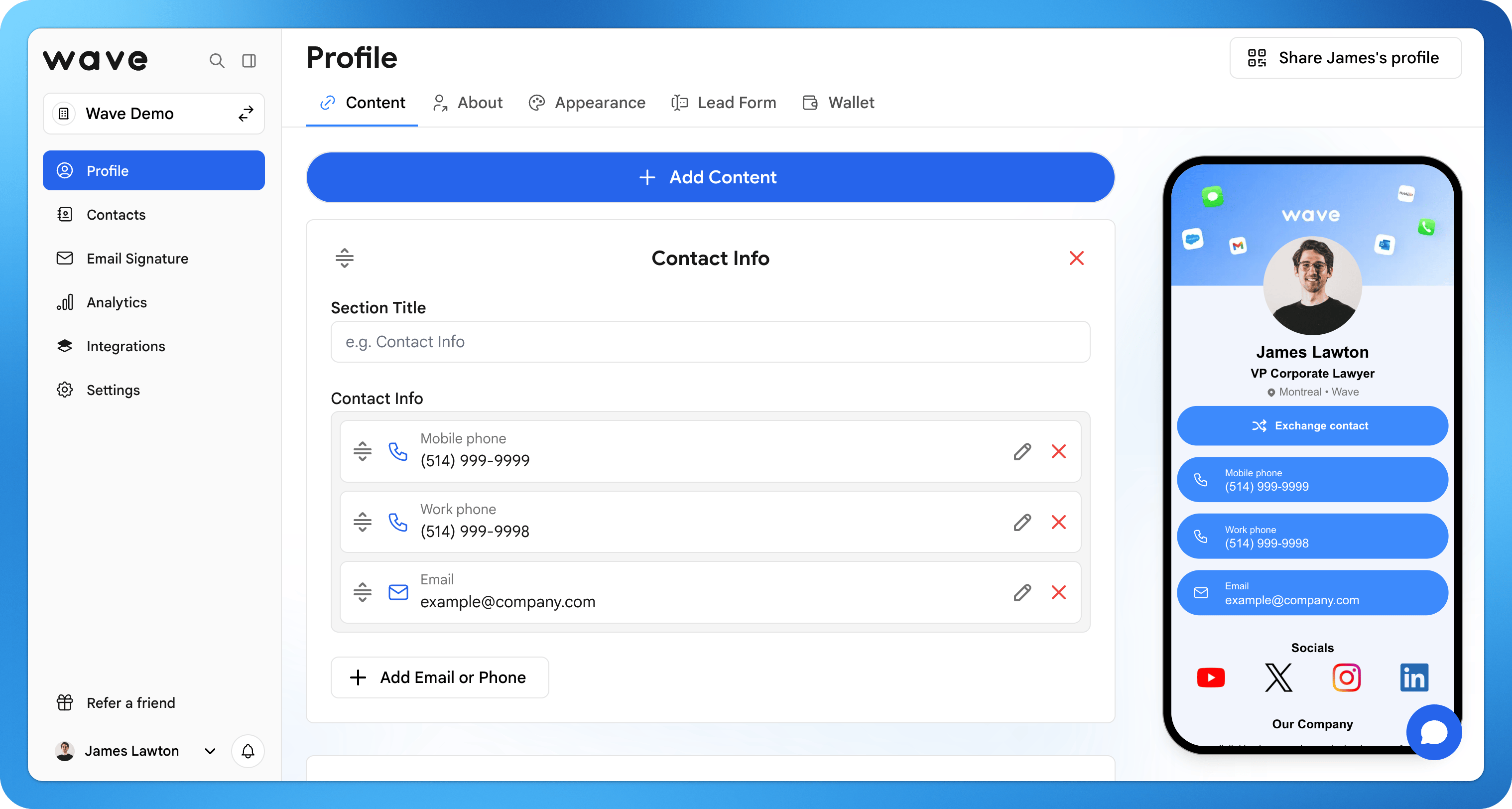
## プロフィールを作成する

プロフィールは、[QR code](/sharing/qr-code)、[リンク](/sharing/email)、[NFCカード](/sharing/nfc-tap)、または [Apple Wallet](/sharing/wallet) を共有するときに相手が見るものです。コンテンツを追加し、ブランドに合わせてカスタマイズして、共有前にプレビューしましょう。

<img src="https://mintcdn.com/waveconnect/RY9ZLnYoWstwKemi/images/profile-editor.png?fit=max&auto=format&n=RY9ZLnYoWstwKemi&q=85&s=02f1703c6f15bfdffe4b854c1882a4d7" alt="Profile editor" width="3086" height="1628" data-path="images/profile-editor.png" />

<Steps>
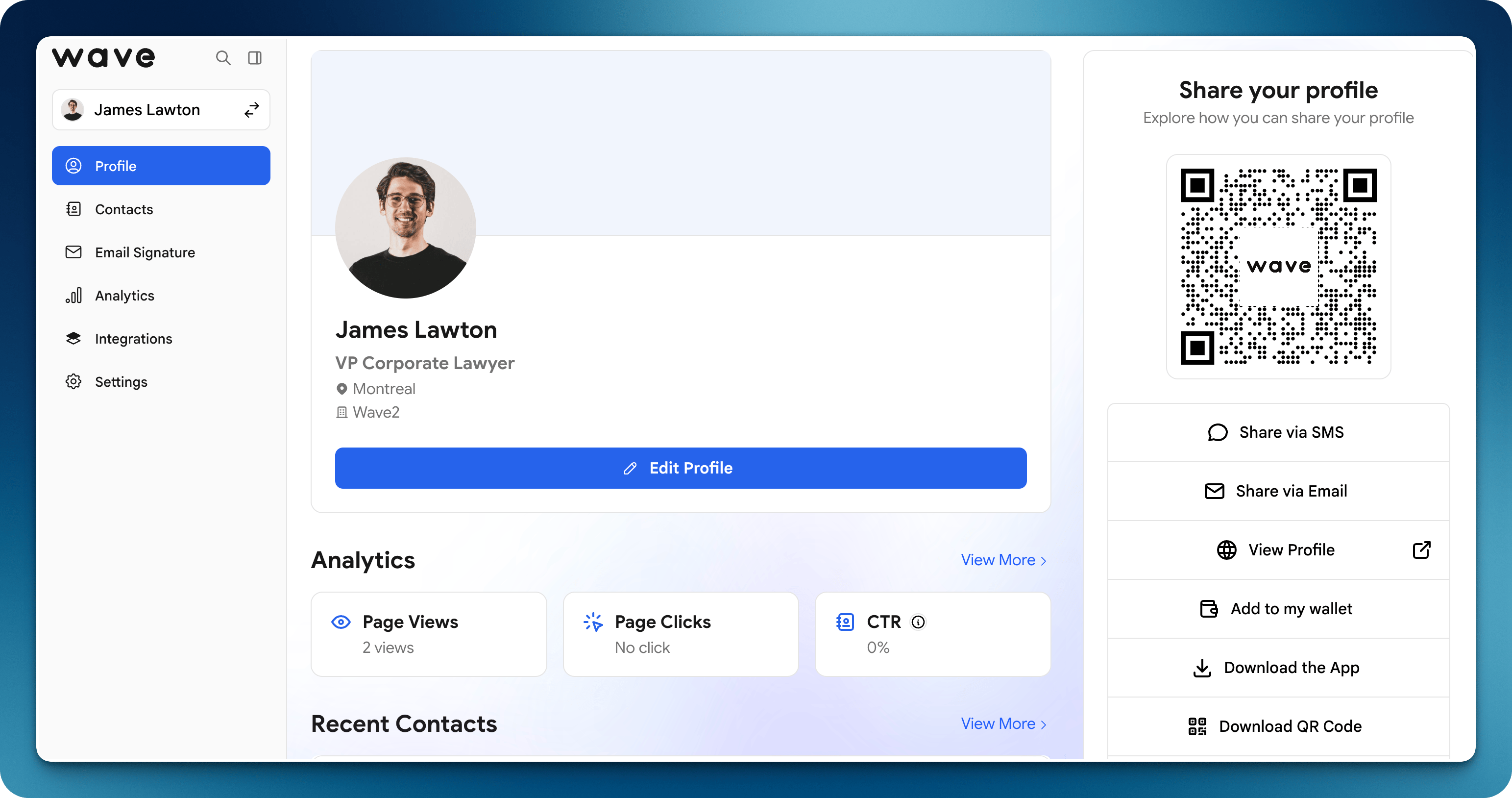
  <Step title="プロフィール編集を開く">
    Waveにログインし、プロフィールに移動して **Edit Profile** をクリックします。
  </Step>

  <Step title="コンテンツを追加する">
    SNS、リンク、ファイル、動画、マップを追加して、つながりが1タップでより多くを知れるようにします。
  </Step>

  <Step title="デザインをカスタマイズする">
    個人またはブランドに合わせてカラー、レイアウト、画像、ロゴを設定します。
  </Step>

  <Step title="カードをプレビューする">
    **View profile** をクリックして受け取る人が見るものを確認し、保存します。
  </Step>
</Steps>

<img src="https://mintcdn.com/waveconnect/RY9ZLnYoWstwKemi/images/add-content.png?fit=max&auto=format&n=RY9ZLnYoWstwKemi&q=85&s=6bfa1369cf52b71c3f8b05d9bc18554e" alt="Add content to your profile" width="3036" height="1624" data-path="images/add-content.png" />