> ## Documentation Index
> Fetch the complete documentation index at: https://wavecnct.com/docs/llms.txt
> Use this file to discover all available pages before exploring further.
# Admin Dashboard
> Roll out Wave across your organization with teams, templates, integrations, and security.
Available on the **Teams** and **Enterprise** plans.
Get your organization up and running on Wave. Set up your team, keep profiles on brand, and connect the tools you already use.
 ## Create Your Organization
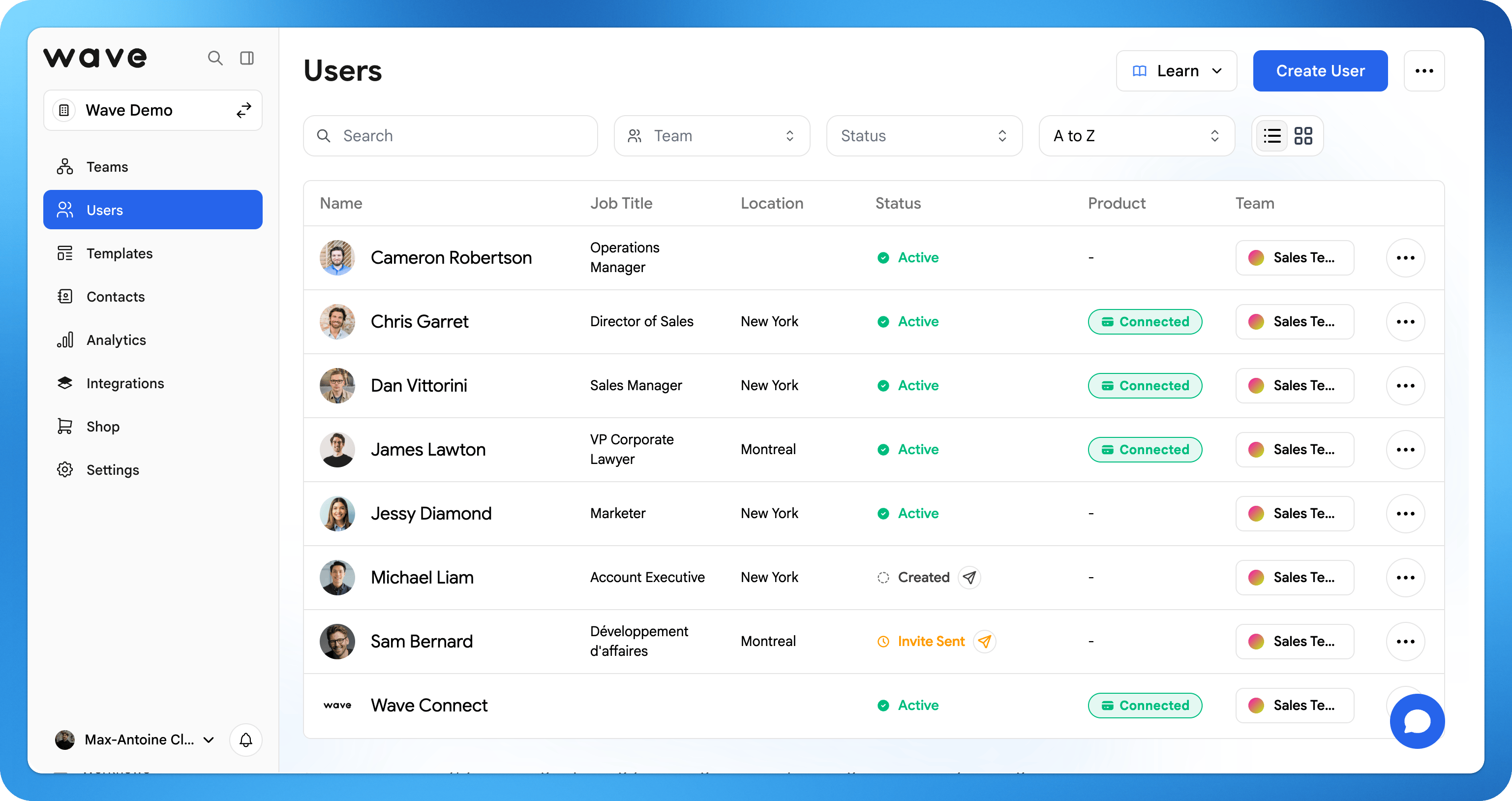
Set up your organization and structure it into teams, all managed from one dashboard.
Invite users with a welcome email, or bulk-import your whole company from an Excel or CSV file.
Create brand-approved templates with your logo, fonts, and locked fields so every profile stays consistent and on brand.
Sync captured leads straight to your CRM (Salesforce, HubSpot, and more) automatically.
Send your team a welcome email so they can activate their profile and get started.
## Explore Each Step
Create your organization and structure it into teams.
Invite, organize, and manage your users.
Add many users at once from a spreadsheet.
Keep every profile consistent across your team.
Connect Salesforce, HubSpot, and more.
Configure SSO, SCIM, and access controls.
## Create Your Organization
Set up your organization and structure it into teams, all managed from one dashboard.
Invite users with a welcome email, or bulk-import your whole company from an Excel or CSV file.
Create brand-approved templates with your logo, fonts, and locked fields so every profile stays consistent and on brand.
Sync captured leads straight to your CRM (Salesforce, HubSpot, and more) automatically.
Send your team a welcome email so they can activate their profile and get started.
## Explore Each Step
Create your organization and structure it into teams.
Invite, organize, and manage your users.
Add many users at once from a spreadsheet.
Keep every profile consistent across your team.
Connect Salesforce, HubSpot, and more.
Configure SSO, SCIM, and access controls.