> ## Documentation Index
> Fetch the complete documentation index at: https://wavecnct.com/docs/llms.txt
> Use this file to discover all available pages before exploring further.
# Tags
> Organize your contacts with custom tags for easy filtering
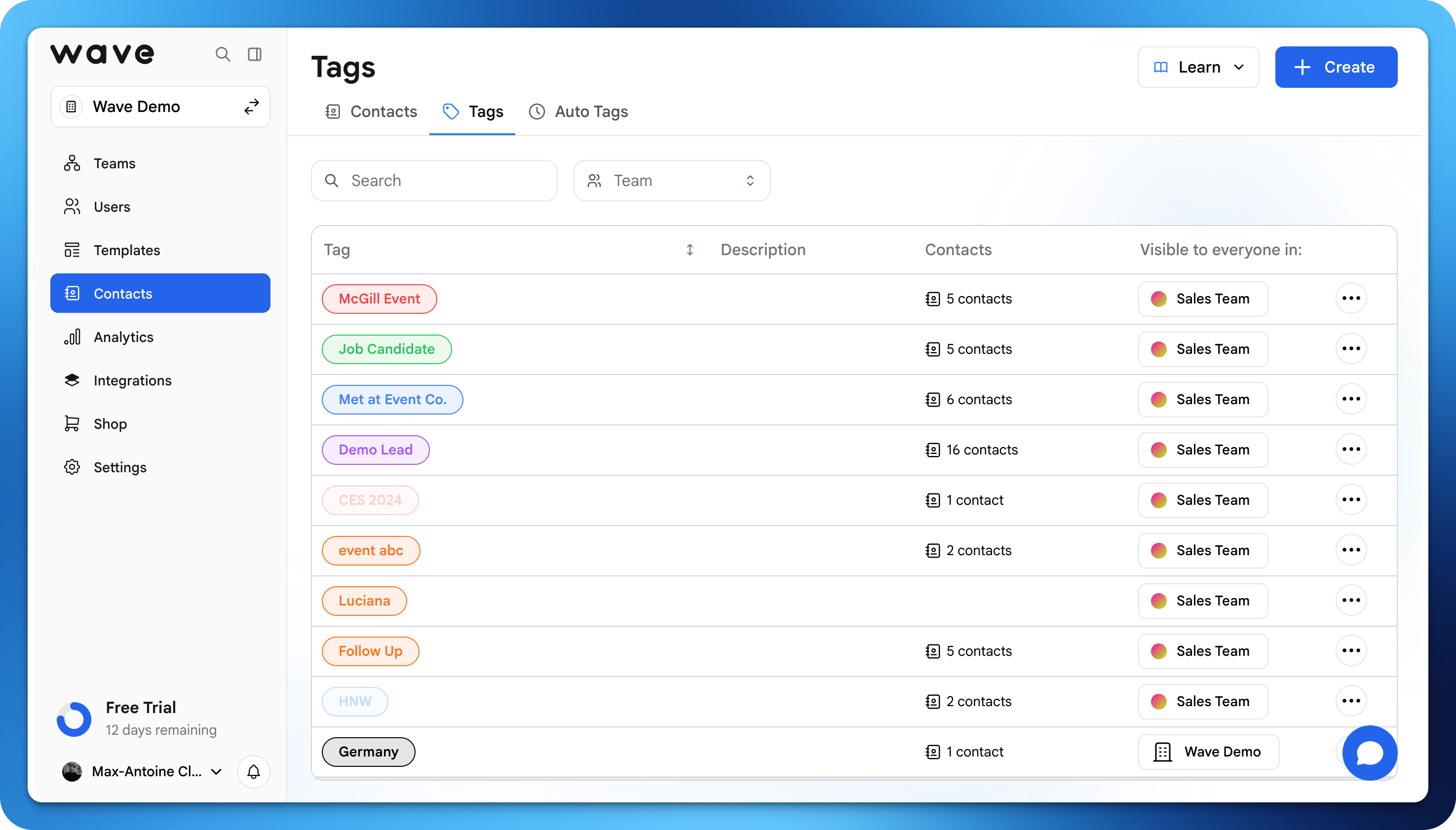 Tags help you categorize and organize your contacts. Use tags to group contacts by event, lead quality, follow-up priority, or any other criteria that makes sense for your workflow.
## Creating Tags
Open the Contacts tab in your Wave dashboard.
Click on the contact you want to tag.
Type a new tag name or select from existing tags. Tags are created instantly.
## How tags are used
You can use tags to:
* Segment contacts (e.g., *Leads*, *Clients*, *Partners*)
* Track where contacts came from (event, campaign, etc.)
* Organize follow-ups or outreach
A single contact can have multiple tags, making your system flexible and scalable.
## Tag Examples
Here are common ways to use tags:
| Tag | Use Case |
| ----------------- | ----------------------------------- |
| `Conference 2025` | Contacts met at a specific event |
| `Hot Lead` | High-priority prospects |
| `Follow Up` | Contacts needing a follow-up |
| `Client` | Existing customers |
| `Partner` | Business partners and collaborators |
## Filtering by Tags
In the Contacts view, click the tag filter to show only contacts with specific tags. You can filter by multiple tags at once.
## Best practices
* Keep tag names **simple and consistent**
* Use tags for **actionable groups** (not just descriptions)
* Avoid duplicates (e.g., "Client" vs "Clients")
Tags help you categorize and organize your contacts. Use tags to group contacts by event, lead quality, follow-up priority, or any other criteria that makes sense for your workflow.
## Creating Tags
Open the Contacts tab in your Wave dashboard.
Click on the contact you want to tag.
Type a new tag name or select from existing tags. Tags are created instantly.
## How tags are used
You can use tags to:
* Segment contacts (e.g., *Leads*, *Clients*, *Partners*)
* Track where contacts came from (event, campaign, etc.)
* Organize follow-ups or outreach
A single contact can have multiple tags, making your system flexible and scalable.
## Tag Examples
Here are common ways to use tags:
| Tag | Use Case |
| ----------------- | ----------------------------------- |
| `Conference 2025` | Contacts met at a specific event |
| `Hot Lead` | High-priority prospects |
| `Follow Up` | Contacts needing a follow-up |
| `Client` | Existing customers |
| `Partner` | Business partners and collaborators |
## Filtering by Tags
In the Contacts view, click the tag filter to show only contacts with specific tags. You can filter by multiple tags at once.
## Best practices
* Keep tag names **simple and consistent**
* Use tags for **actionable groups** (not just descriptions)
* Avoid duplicates (e.g., "Client" vs "Clients")