> ## Documentation Index
> Fetch the complete documentation index at: https://wavecnct.com/docs/llms.txt
> Use this file to discover all available pages before exploring further.
# 管理员仪表板
> 通过团队、模板、集成和安全功能在全组织范围内推广 Wave。
适用于 **Teams** 和 **Enterprise** 计划。
让您的组织在 Wave 上顺利运行。设置团队、保持资料符合品牌规范,并连接您日常使用的工具。
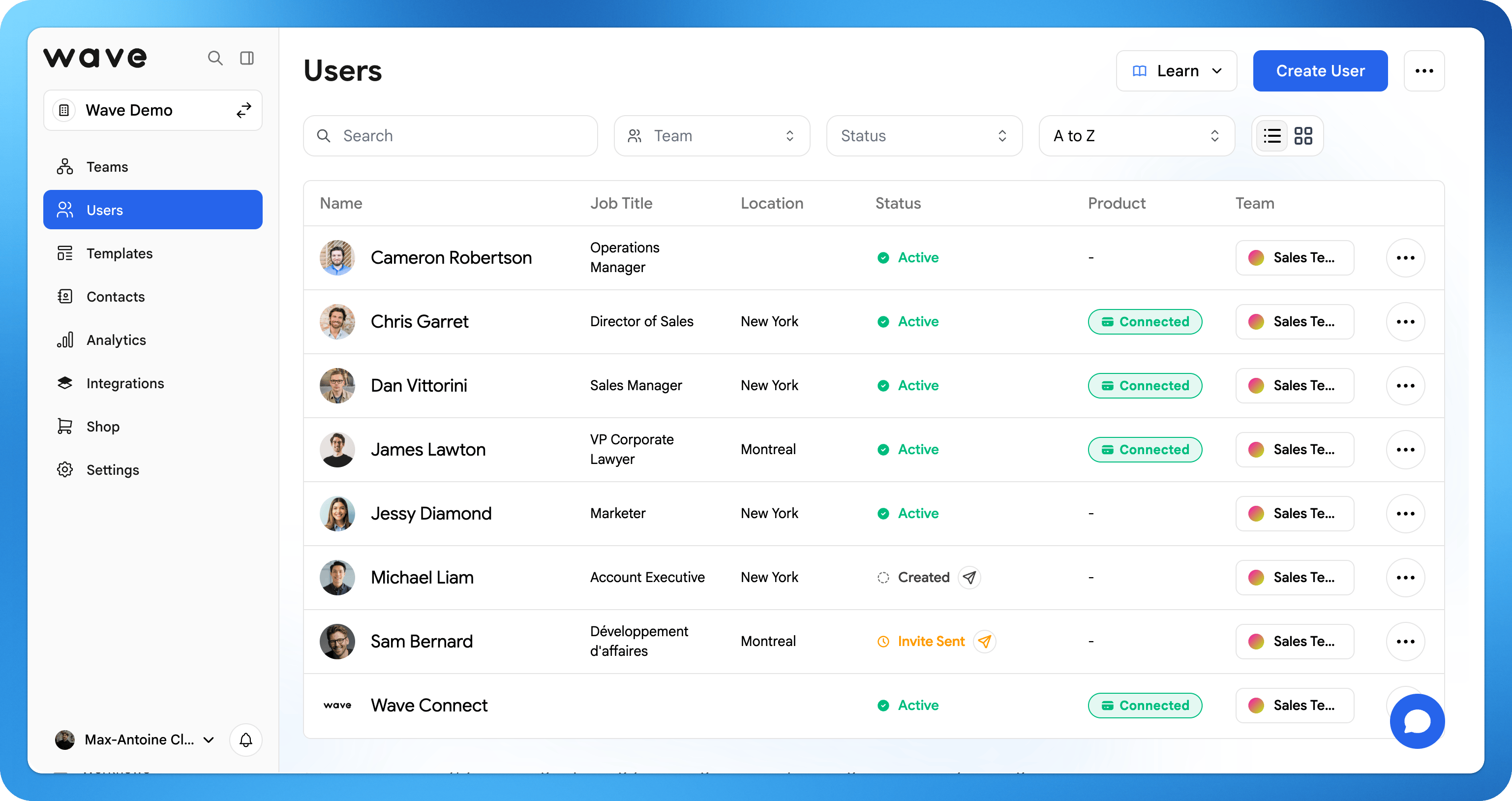 ## 创建您的组织
设置您的组织并将其划分为团队,全部在一个仪表板中管理。
通过欢迎邮件邀请用户,或从 Excel 或 CSV 文件批量导入整个公司的员工。
创建含有公司 logo、字体和锁定字段的品牌模板,确保每份资料保持一致和品牌统一。
将捕获的线索自动同步到您的 CRM(Salesforce、HubSpot 等)。
向团队发送欢迎邮件,让他们激活个人资料并开始使用。
## 探索各步骤
创建您的组织并将其划分为团队。
邀请、组织和管理您的用户。
通过电子表格一次性添加多位用户。
保持团队中每份资料的一致性。
连接 Salesforce、HubSpot 等工具。
配置 SSO、SCIM 和访问控制。
## 创建您的组织
设置您的组织并将其划分为团队,全部在一个仪表板中管理。
通过欢迎邮件邀请用户,或从 Excel 或 CSV 文件批量导入整个公司的员工。
创建含有公司 logo、字体和锁定字段的品牌模板,确保每份资料保持一致和品牌统一。
将捕获的线索自动同步到您的 CRM(Salesforce、HubSpot 等)。
向团队发送欢迎邮件,让他们激活个人资料并开始使用。
## 探索各步骤
创建您的组织并将其划分为团队。
邀请、组织和管理您的用户。
通过电子表格一次性添加多位用户。
保持团队中每份资料的一致性。
连接 Salesforce、HubSpot 等工具。
配置 SSO、SCIM 和访问控制。