> ## Documentation Index
> Fetch the complete documentation index at: https://wavecnct.com/docs/llms.txt
> Use this file to discover all available pages before exploring further.

# 创建您的个人资料

> 注册 Wave 并创建人们在您分享时看到的数字名片。

<iframe className="w-full aspect-video rounded-xl" src="https://www.youtube.com/embed/Efu0DsflPwg" title="How To Create a Digital Business Card (In Minutes)" allow="accelerometer; autoplay; clipboard-write; encrypted-media; gyroscope; picture-in-picture" allowFullScreen />

## 创建账户

<Steps>
  <Step title="注册">
    访问 [app.wavecnct.com/login](https://app.wavecnct.com/login) 并创建您的免费账户。
  </Step>

  <Step title="输入您的信息">
    添加您的姓名、职位、公司、所在地和头像。这些内容将显示在您的个人资料上。
  </Step>

  <Step title="添加到钱包">
    将名片保存到 Apple 或 Google Wallet，让它随时触手可及。
  </Step>
</Steps>

## 完善您的个人资料

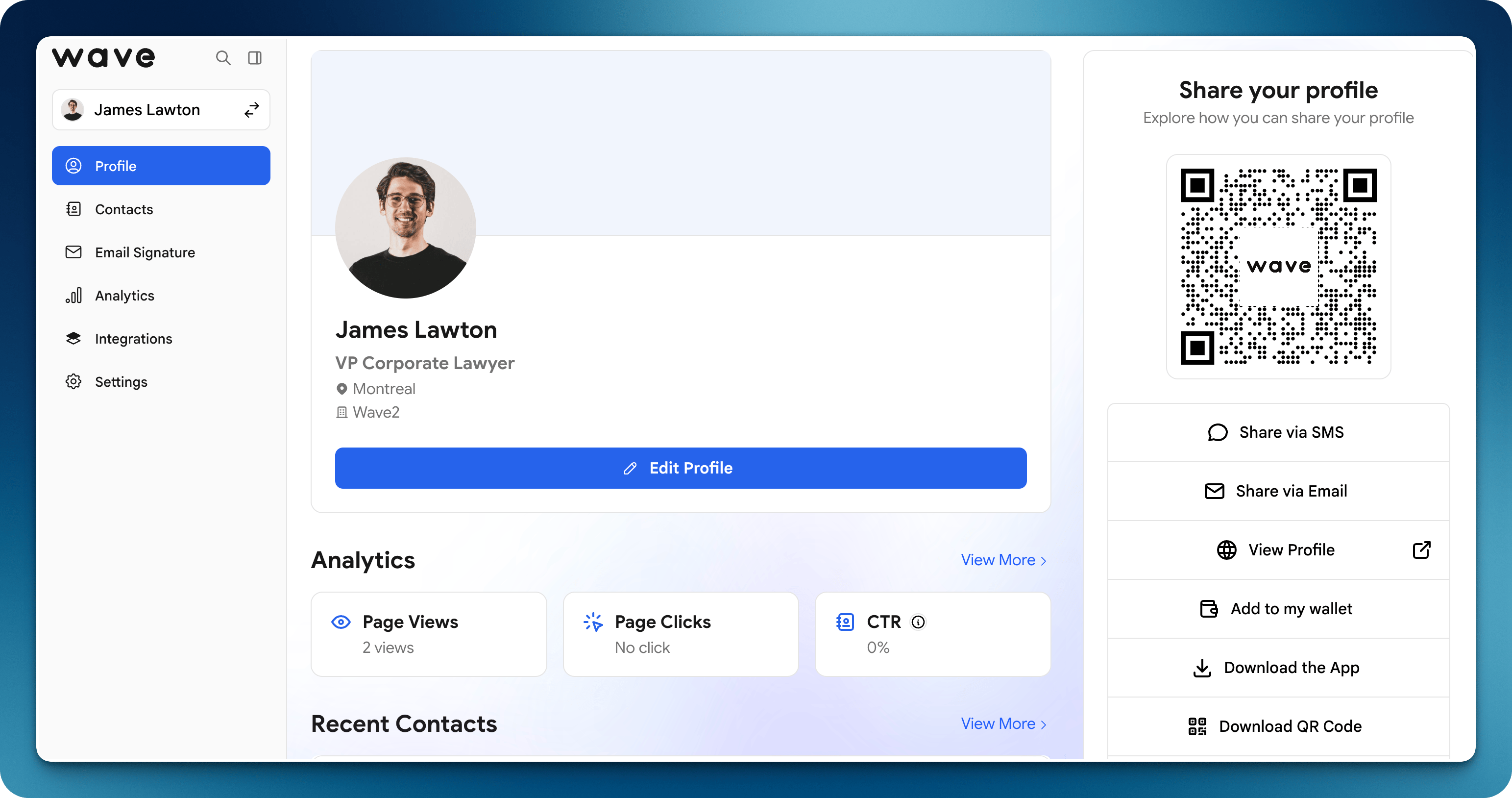
您的个人资料是人们扫描您的 [QR code](/sharing/qr-code)、点击[链接](/sharing/email)、使用您的 [NFC 名片](/sharing/nfc-tap)或 [Apple Wallet](/sharing/wallet) 时看到的内容。添加您的内容，与品牌保持一致，在分享前预览效果。

<img src="https://mintcdn.com/waveconnect/RY9ZLnYoWstwKemi/images/profile-editor.png?fit=max&auto=format&n=RY9ZLnYoWstwKemi&q=85&s=02f1703c6f15bfdffe4b854c1882a4d7" alt="个人资料编辑器" width="3086" height="1628" data-path="images/profile-editor.png" />

<Steps>
  <Step title="打开编辑资料">
    登录 Wave，进入您的个人资料，点击 **编辑资料**。
  </Step>

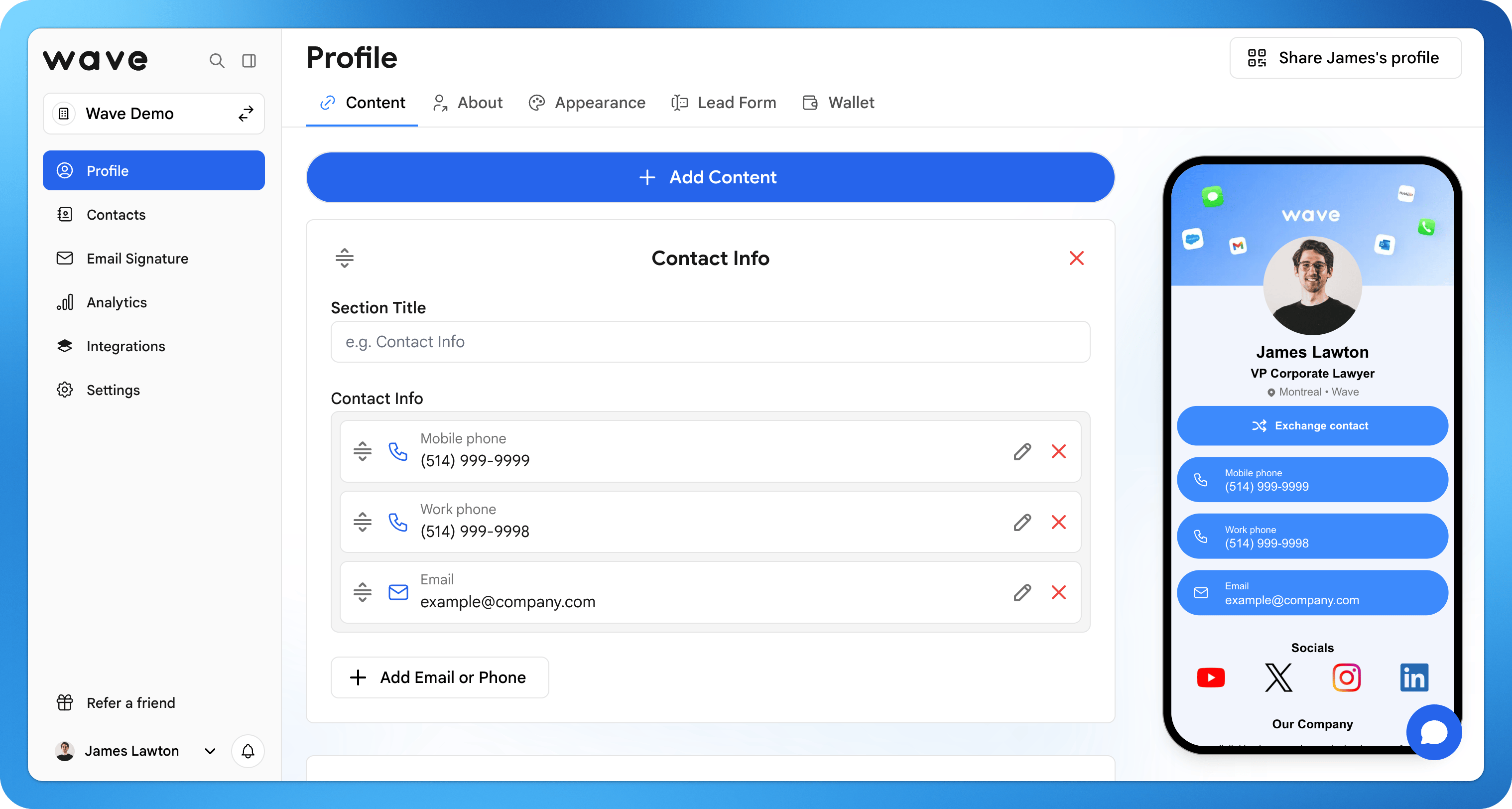
  <Step title="添加内容">
    添加社交媒体、链接、文件、视频和地图，让联系人一键了解更多。
  </Step>

  <Step title="自定义设计">
    设置颜色、布局、图片和 logo，与您的个人或公司品牌保持一致。
  </Step>

  <Step title="预览您的名片">
    点击 **查看资料** 查看收件人将看到的效果，然后保存。
  </Step>
</Steps>

<img src="https://mintcdn.com/waveconnect/RY9ZLnYoWstwKemi/images/add-content.png?fit=max&auto=format&n=RY9ZLnYoWstwKemi&q=85&s=6bfa1369cf52b71c3f8b05d9bc18554e" alt="向个人资料添加内容" width="3036" height="1624" data-path="images/add-content.png" />